


FORA — the autonomous trading intelligence
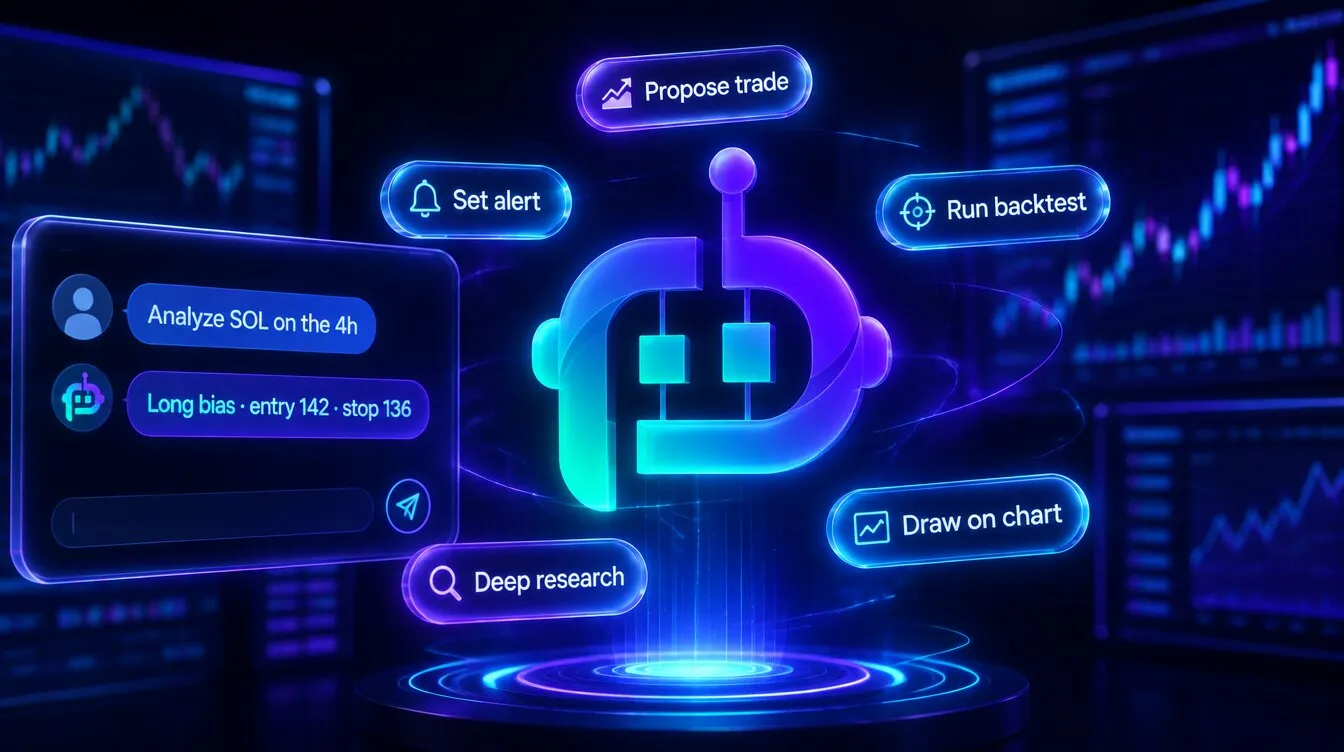
FORA — Formion's autonomous trading intelligence
FORA only proposes an order with a real quote; nothing executes until you confirm and enter your trading password.
Live recording: one short question to FORA in AI Chat — the working steps, then the answer with the multi-timeframe read.
New: FORA can turn any page into a short video tutorial or a PDF guide — click the FORA button next to any ⓘ. See FORA Video & PDF Tutorials.
FORA began as a conversational assistant and has grown into something closer to a cognitive system. It perceives the whole market, reasons from retrieved evidence, remembers, learns from measured outcomes, trades autonomously to prove its own edge, and even evolves new strategies — all under strict, non-custodial safety.
Talk to it in plain language on  Telegram (
@formiontradingbot), in the FORA chat on formion.ai and app.formion.ai, or at fora.formion.ai. It works across your account and replies in your interface language (English, Serbian, Croatian, Russian, German, French, Spanish, Italian, Portuguese, Polish or Turkish).
The cognitive loop. Perceive → reason (verified) → remember → learn from outcomes → act (gated) → improve — then feed the result back into perception. Each pass makes the next one sharper.
System architecture
Section titled “System architecture”The six layers below describe FORA’s cognitive loop: how market observations become a reasoned plan, how context is remembered, and how outcomes inform later research. They explain the system’s approach; an available analysis tool does not by itself authorise live execution.
Separate the data supporting an answer from the trade outcome used to evaluate it. Review the source, timestamp and relevant account permissions whenever acting on analysis.
I. Perception — it reads the whole market
Section titled “I. Perception — it reads the whole market”Most “AI assistants” see a single chart. FORA ingests the full market state across spot, perpetual futures, on-chain tokens, prediction markets, forex, metals and indices, reasoning over dozens of dimensions at once: multi-timeframe trend and regime, open interest, funding, taker flow, long/short positioning, cumulative delta, footprint, depth imbalance, liquidation clusters, capital flow, sentiment, narrative, and — for emerging tokens — an on-chain safety read, lifecycle stage and entry timing.
Its awareness is self-extending: a discovery layer continuously catalogs every capability in the platform, so when Formion ships a new tool, FORA learns to use it automatically — no manual wiring, no retraining.

One mind over the whole market — not a chatbot bolted onto a chart.
II. Reasoning — verification and evidence
Section titled “II. Reasoning — verification and evidence”The defining property of FORA is epistemic discipline: it is engineered not to make things up.
- Self-verification. Check numerical and directional claims against the fetched data; verification is intended to correct or remove unsupported statements.
- Provenance. Each answer shows what it is based on.
- Internal deliberation. For decisions that matter, FORA convenes an internal panel — bullish, bearish, risk and quantitative perspectives — and synthesizes a verdict with the dissent made visible.
- Causal reasoning. It thinks in cause-and-effect chains across markets, not loose correlation.
Theory of mind. FORA models other participants. Price is drawn toward resting liquidity; FORA scores the pull of each liquidation/stop cluster $k$ at price $p_k$ with intensity $I_k$, relative to the current price $P$:
$$ \Pi(P) ;=; \sum_{k} \frac{I_k}{,\lvert P - p_k\rvert + \varepsilon,} \qquad\text{and crowd skew}\qquad \lambda ;=; \frac{L}{L+S} $$
where $L,S$ are long/short positioning. The further $\lambda$ sits from $0.5$, the more one side is offside — the fuel for the squeeze that hunts their stops first.
III. Memory — it actually remembers
Section titled “III. Memory — it actually remembers”FORA carries persistent memory of who you are (instruments, style, recurring mistakes, language), episodic memory of market events and how they resolved, and semantic recall over your whole history.
Recall is not keyword matching — it is a vector-space model. For query $q$ and a memory $d$, relevance is the term-frequency–inverse-document-frequency cosine, length-normalized so a long ramble can’t outweigh a precise fact, with a gentle recency boost:
$$ \mathrm{sim}(q,d)=\frac{1}{\sqrt{\lvert d\rvert}};\rho(d)\sum_{t,\in,q} \mathrm{idf}(t),\mathbf{1}[,t\in d,] ,\qquad \mathrm{idf}(t)=\ln!\frac{N+1}{\mathrm{df}(t)+1}+1 ,\qquad \rho(d)=1+0.4,e^{-\Delta t/30} $$
Rare, informative terms ($\mathrm{idf}$) dominate; $N$ is the corpus size, $\mathrm{df}(t)$ how many memories contain $t$, and $\Delta t$ the memory’s age in days.
IV. Learning — it grades itself
Section titled “IV. Learning — it grades itself”Every concrete call FORA makes is logged and later measured against the real price. From that it builds a per-setup track record and calibrates its own confidence to the empirical hit-rate $\hat p = h/n$. To stay honest on small samples it never quotes raw $\hat p$ alone — it reasons with the Wilson lower bound, which shrinks confidence when evidence is thin:
$$ p_{\text{lo}}=\frac{\hat p+\dfrac{z^{2}}{2n}-z\sqrt{\dfrac{\hat p(1-\hat p)}{n}+\dfrac{z^{2}}{4n^{2}}}}{1+\dfrac{z^{2}}{n}} $$
Edges are judged in the language of expectancy, risk-adjusted return and drawdown — the same metrics every strategy in Formion is held to:
$$ \mathbb{E}[R]=p,\mu_{\text{win}}-(1-p),\mu_{\text{loss}} ,\qquad \mathrm{Sharpe}=\frac{\mu_R}{\sigma_R} ,\qquad \mathrm{MaxDD}=\max_{t}\frac{\text{peak}_t-\text{equity}_t}{\text{peak}_t} $$
It also learns from aggregate, privacy-preserving base rates across the platform, so its judgment compounds with experience.
V. Autonomy — it trades to prove itself
Section titled “V. Autonomy — it trades to prove itself”Talk is cheap, so FORA puts itself on the line. In a simulated paper account it selects setups, opens positions with predefined risk, and measures its own results — win-rate, expectancy and equity curve, the same metrics used for any other strategy in Formion.
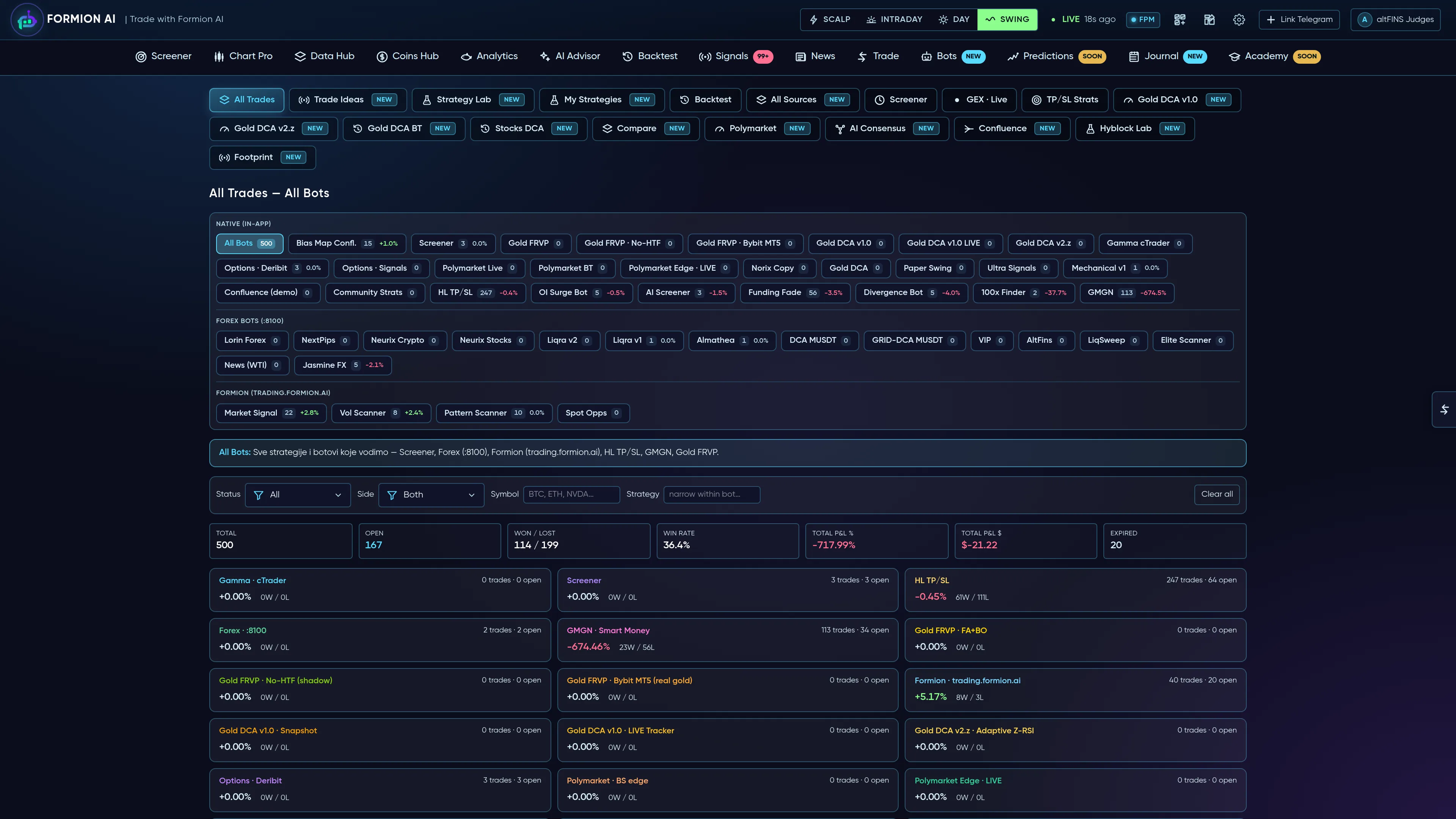
Tracked FORA decisions are evaluated through measured outcomes — win-rate, expectancy, equity curve.
When you want it to act on your real account, it does so only through hard safety gates. An order $o$ executes if and only if every gate passes:
$$ \text{execute}(o)\iff \underbrace{A}{\text{armed}},\wedge,\underbrace{C}{\text{you confirm}},\wedge,\underbrace{E}{\text{opted-in}},\wedge,\underbrace{B}{\text{your broker}},\wedge,\bigl(,\text{notional}(o)\le N_{\max},\bigr),\wedge,\bigl(,n_{\text{open}}<K_{\max},\bigr) $$
By default FORA only proposes an order with a real quote (size, price, fee); nothing executes until you confirm and enter your trading password. Hands-free execution happens only if you switch on FORA Autotrade yourself (Pro; profile → Connections) for your linked  cTrader account — every order is capped by your max per order, max trades per day and max total per day, and the kill-switch stops it instantly.
FORA is non-custodial — it connects to your own exchange or broker, never holds or withdraws funds, and defaults to fail-closed: if anything is unset, nothing trades.
VI. Self-improvement — toward a self-evolving edge
Section titled “VI. Self-improvement — toward a self-evolving edge”This is where FORA reaches beyond a conventional assistant.
Self-tuning. It adjusts its own parameters from measured results, within safe reversible bounds. With recent win-rate $\hat w$ and a target band $[\tau_{\text{lo}},\tau_{\text{hi}}]$, a threshold $\theta$ updates as
$$ \theta_{t+1}=\mathrm{clip}!\Big(\theta_t+\delta\big(\mathbf{1}[\hat w<\tau_{\text{lo}}]-\mathbf{1}[\hat w>\tau_{\text{hi}}]\big),;\theta_{\min},,\theta_{\max}\Big) $$
— stricter when it slips, bolder when it is on form. Larger structural changes are proposed for human review; it never rewrites itself unattended.
Evolutionary strategy discovery. FORA runs a genetic search over the space of complete strategy specifications $s=(\text{archetype},\text{entry},\text{stop},\text{targets},\text{trailing},\dots)$. A population is bred, each member backtested on a search window that excludes a locked holdout, the fittest selected, then crossed and mutated across generations. Fitness rewards risk-adjusted return on that search window:
$$ F(s)=R_{\text{net}}(s)+4,\mathrm{Sharpe}(s)+3\min!\big(\mathrm{PF}(s),4\big)-0.3,\lvert\mathrm{DD}(s)\rvert \quad\text{s.t.}\quad \mathrm{beats\text{-}HODL}(s),\wedge,n_{\text{trades}}(s)\ge 10 $$
The single winner is then scored once on the locked holdout of unseen data; only an EDGE verdict is saved as a FORA-built strategy and tracked. Most runs end with nothing saved — that is the filter working. FORA is searching for edges, not selecting from a fixed menu.
Using FORA day to day
Section titled “Using FORA day to day”- Ask anything — “how’s my portfolio?”, “analyze
 SOL on the 4h”, “which tokens are trending?”, “who’s trapped here?”
- Research, scans and guided wizards — all from a sentence.
- Trade commands on your connected exchange / broker — always with confirmation.
- Smart model routing — fast models for short answers and stronger reasoning models from Anthropic (Claude) and OpenAI for analysis. Bring your own key (BYOK — Anthropic, OpenAI, Gemini, Grok, DeepSeek, Kimi, GLM, MiniMax or OpenRouter) on any plan, or connect your ChatGPT Plus account (profile → License), so calls run on your provider with no platform budget cap.
- AI budget — Neural $2 per month, Pro $5 per day, Institutional $30 per day with priority queue; daily budgets reset at 00:00 UTC. One AI request runs at a time on Neural, three on Pro, ten on Institutional.
- What each plan adds — on every plan FORA can chat, explain, read prices, indicators, news, signals and your portfolio, and propose orders and alerts. Pro adds web search, deep research, backtests, Strategy Finder, social sentiment, chart screenshots and premium platform analytics. Institutional adds the 3D robot. Realtime voice is on every plan (see below).
- Compare models — in AI Advisor → AI Chat you can run the same prompt on 2–4 models side by side and see where they agree and disagree (premium models need a paid plan).
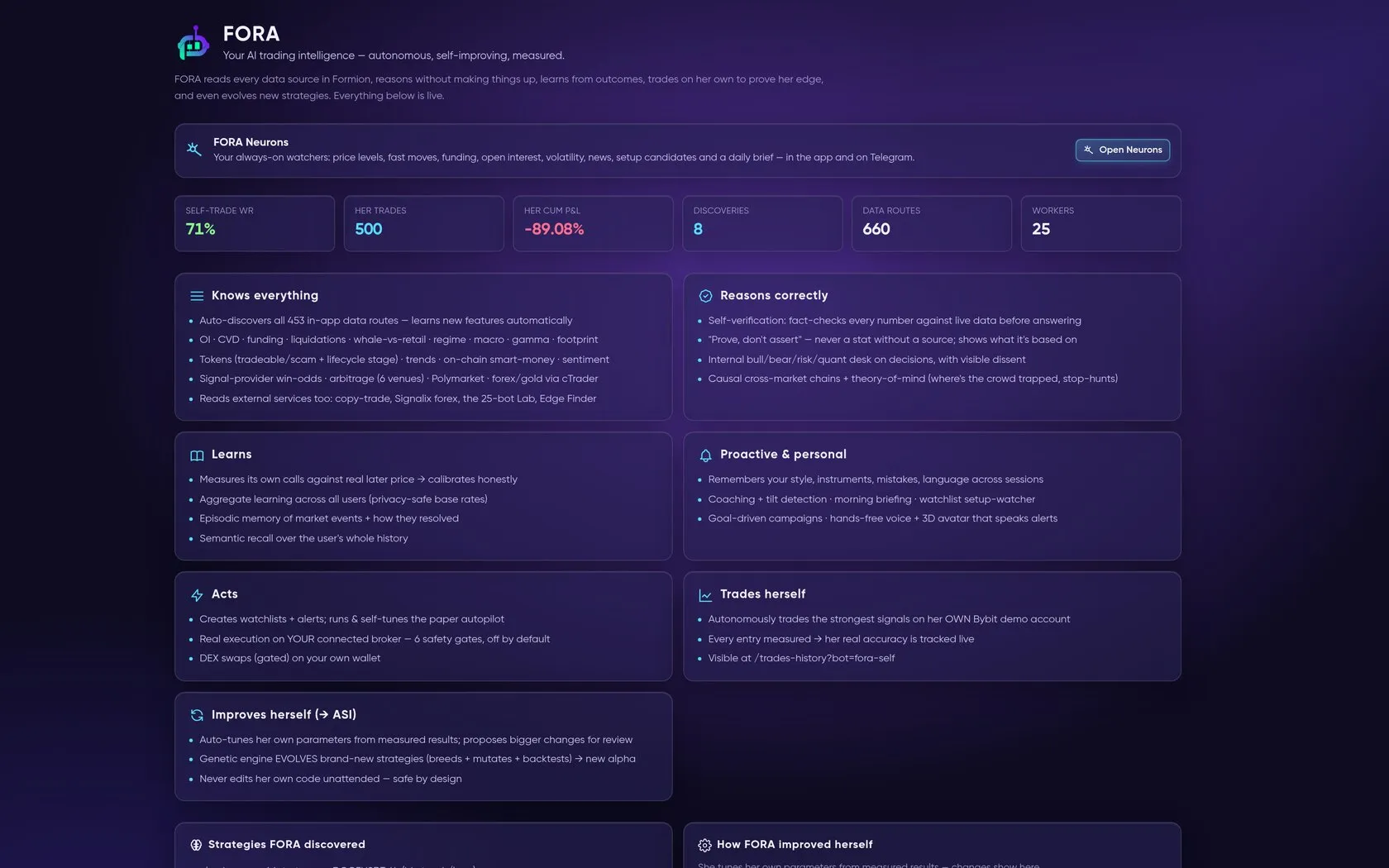
The FORA page in the app: what FORA knows, how it reasons and learns, and its research candidates (not verified strategies).
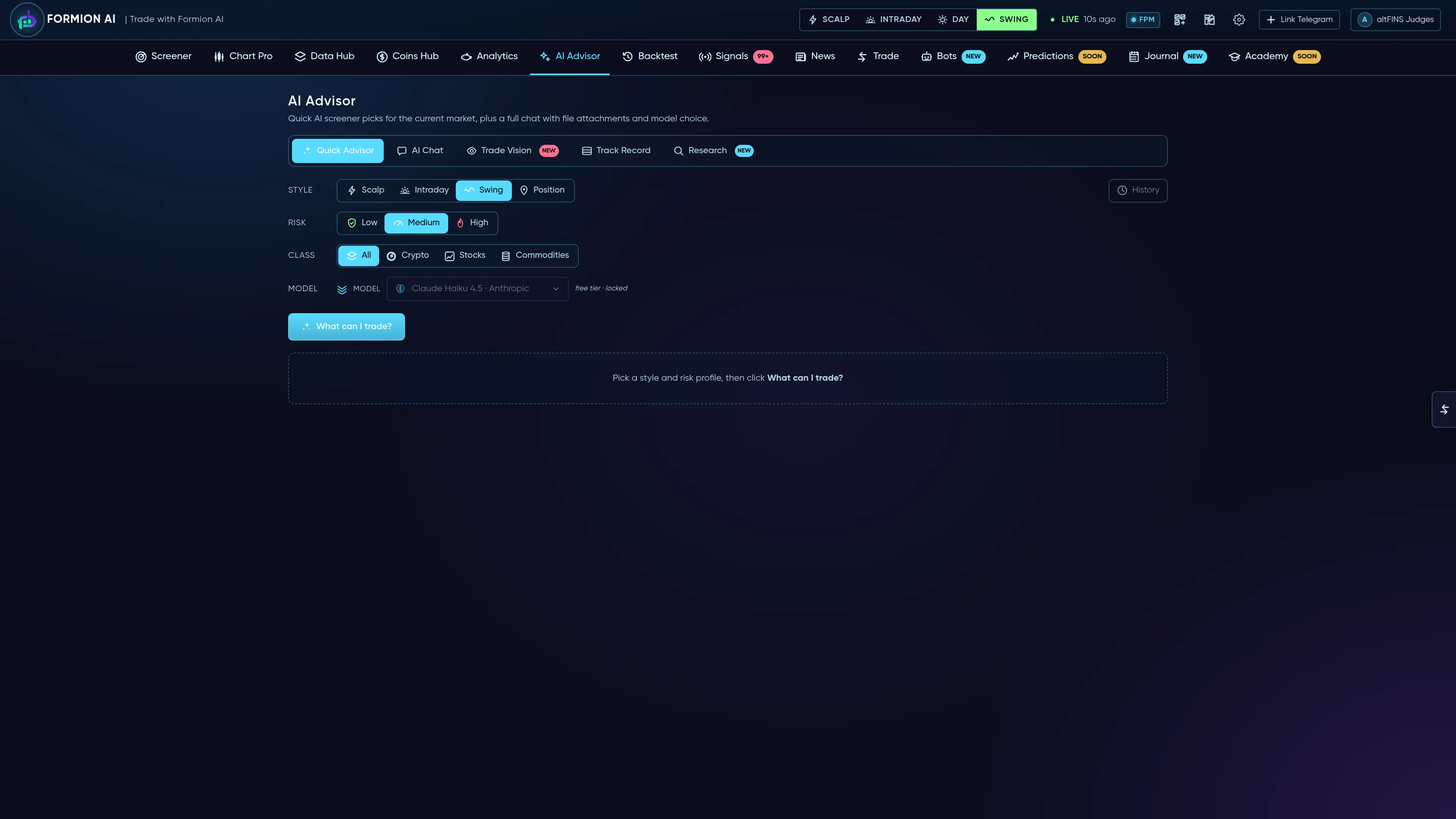
Comparing models side by side — never trusting a single model's blind spot.
Personal plan: what, when, how much, how to exit
Section titled “Personal plan: what, when, how much, how to exit”Ask FORA “what should I buy today?”, “how much should I put in?”, “make me a plan for $500” or “when do I sell?” and it answers from the FORA planner — the same engine behind Neurons → My plan, the KOL watch card and the Dossier Telegram message.
- What FORA knows about you — bankroll, risk level (low / medium / high), max per token, max open positions, daily loss brake, your own stop and chains. If something is missing FORA asks once, then uses the defaults and tells you which.
- What and when — the Dossier’s quality first calls and the KOL calls that passed KOL watch, ranked for you: enter now, wait, not today or skip, each with the reason from data (move since the Dossier price, verdict and risk, age,
 BTC regime, your open positions and daily brake).
- How much — the smallest of your per-token cap, the % for your risk level, the pool’s liquidity (≤ 0.5 % buy impact) and your free exposure, shown as one line of math. A small account gets fewer positions, not tiny ones.
- How to exit — OUR exit ladder measured on past calls, the stake-back step, the stop (−30 % on an hourly close or your own) and at most 7 days. Tell FORA “I bought” and it sends every next step as “do this now” in the app and on Telegram, plus a Monday summary.
FORA never buys for you: Buy in my wallet only pre-fills a swap you confirm. Neural (Free) gets the token, why and FORA’s opinion without numbers. Full walkthrough: FORA Neurons → My plan.
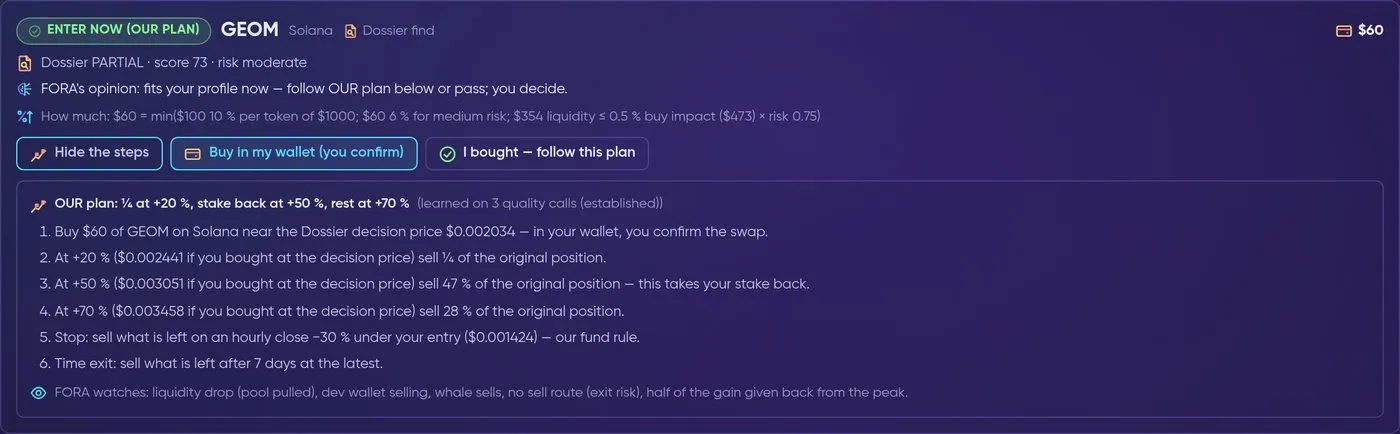
One personal plan: what to buy, how much, OUR exit steps and what FORA watches.
What FORA knows about KOL calls
Section titled “What FORA knows about KOL calls”FORA reads the full KOL picture when you ask about KOLs, a @handle, a Telegram channel, “who called it” or a contract address — and always when you ask about a token that a source we follow called:
- every KOL call — who, what, when, the contract, market cap, the 24 h run-up before the call, the Dossier verdict, score and risk, fresh or late, the KOL filter, the peak and now, and the result of OUR plan;
- the KOL filters and their studies, segments by market cap, chain and delay, and timing groups;
- the KOL Fund — its rule, positions and P&L, and the late calls it leaves out;
- post-mortems at 24 h / 72 h / 7 days with the lesson, the weekly report and each KOL’s history.
Every number carries its label — Verified, Collecting data or Keep refining. Pro and Institutional also get OUR plan; Neural (Free) gets the facts and FORA’s opinion, without entry, size or exit numbers. FORA never promises profit: a reply that would promise a result is cut, and every KOL or Dossier answer ends with “Research, not financial advice — what we found + FORA’s opinion. No profit is promised.”
What FORA is not
Section titled “What FORA is not”FORA does not custody funds. Live actions require the applicable authorisation and account permissions; automated workflows follow the limits you configure. Check the supporting data before treating an AI answer as fact. It is an instrument that amplifies the trader’s judgment — relentlessly informed, honestly calibrated, and always measured — not a black box that asks for blind trust.
Text, realtime voice and Command Center
Section titled “Text, realtime voice and Command Center”On the dashboard, Command Center lets you choose suggested commands or type your own request. Use Commands to launch a floating FORA conversation, or Chat to converse inside the card when available. Attach images, PDFs, DOC/DOCX, text or CSV files (up to 12 MB per file) for context; inspect and remove an attachment before sending if it is not relevant. FORA can also generate reports as PDF, DOCX, TXT or Markdown, draw levels on your Formion chart and, on the chart page, read a snapshot of the chart you are on or a shared screen.
Live two-way voice with FORA is available on every plan: Neural 3 sessions a day × 3 minutes and Pro 25 × 15 minutes on gpt-realtime-2.1-mini, Institutional 80 × 30 minutes on the full gpt-realtime-2.1 (per UTC day; see Plans & Pricing). In the chart chat you can also turn on read-aloud replies and microphone dictation from its settings gear, using your browser’s built-in speech features. Describe the instrument, timeframe and intended task clearly, and inspect the written context before authorising a trade. Voice is another conversation mode; it does not bypass account permissions or risk controls.
Chart chat: Yes / No answers and your language
Section titled “Chart chat: Yes / No answers and your language”When FORA ends a reply with a question — for example “Would you like a simple example?” — two buttons, Yes and No, appear under the answer. One tap sends the answer in the language you are writing in, so you do not have to type it. The buttons only appear when the reply really ends with a question to you, and they disappear as soon as you write something else.
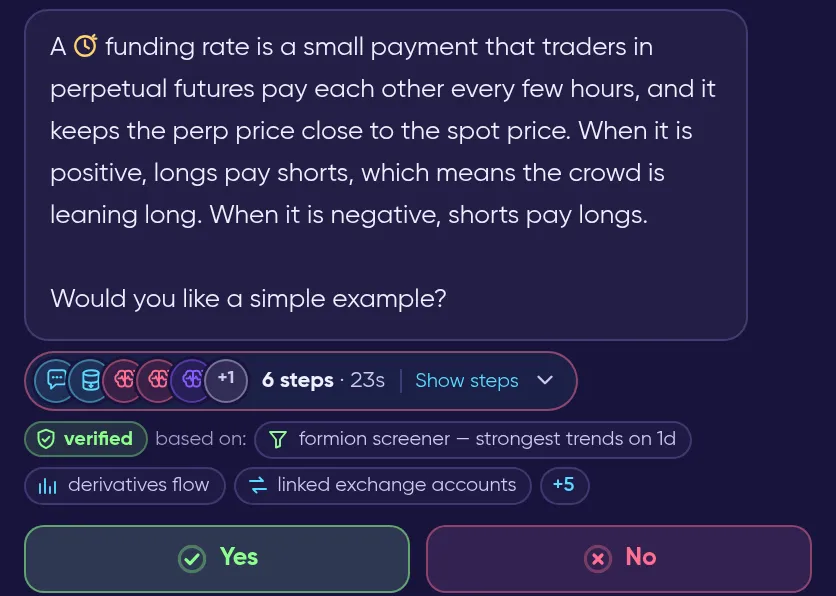
FORA asked a question, so Yes and No appear under the reply.
In the chat settings (the gear in the chat header) Reply in my language is on by default: FORA answers, and reads aloud when voice output is on, in the language of the message you just typed or spoke. If the language of a short message is unclear, FORA uses the language picked at the bottom of the same settings. Turn the switch off to always get replies in the picked language.
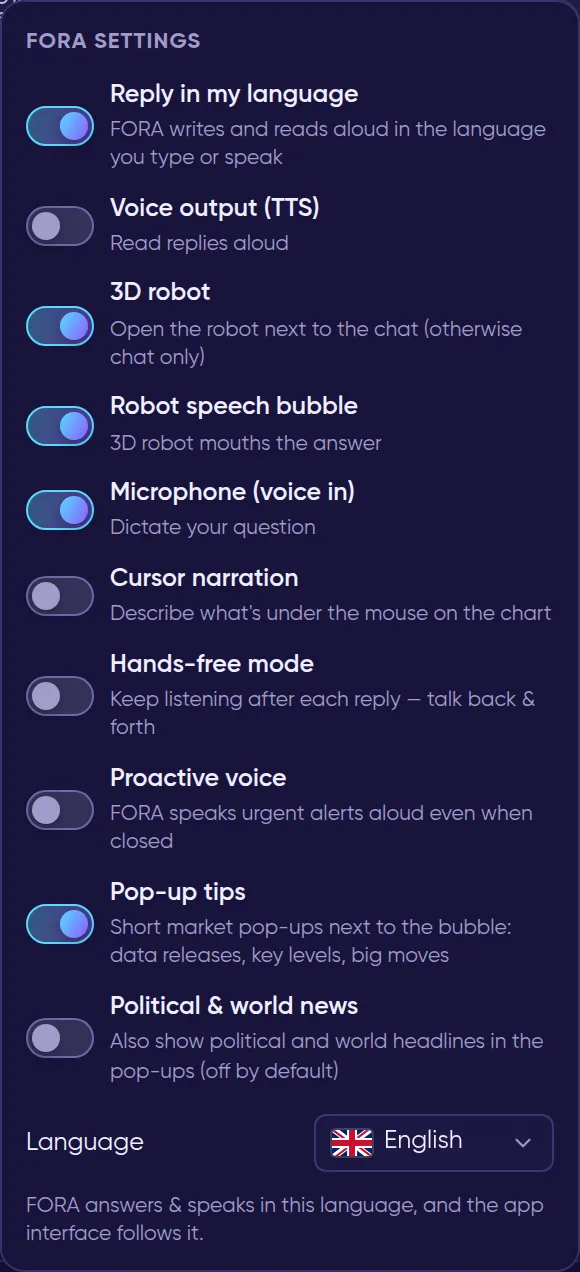
FORA settings in the chart chat. “Reply in my language” is the first switch.
Try “analyse BTC on the 4h”, “compare strategies #1 and #2” or “show my open positions”. The command examples are starting points; a successful action still depends on the available tool, connected account and licence. Connect crypto venues through Brokers, or authorise cTrader for forex and CFDs. Manage what FORA remembers in profile → Connections → FORA Memory, and pin standing rules (for example “I never use more than 3x leverage”) with Teach FORA. Trades History and Journal help separate evaluated calls, paper trades and your actual account outcomes.
Reading the scientific model in practice
Section titled “Reading the scientific model in practice”The equations above explain how evidence can be ranked and evaluated. They are not a separate order-entry interface. A liquidity score, confidence interval or strategy fitness score should be read with its inputs and the period that produced it.
Perception: begin with the question
Section titled “Perception: begin with the question”For a market question, give FORA the instrument and timeframe rather than just “buy or sell?”. Compare trend, funding and positioning with the chart. For an account question, identify the connected account; market data and your portfolio are different contexts. An unavailable input should remain a gap in the analysis rather than becoming an assumed value.
Reasoning: compare alternatives
Section titled “Reasoning: compare alternatives”Ask for the bullish case, bearish case and invalidation level. A useful plan explains what would have to happen for each scenario, which observations support it and what would contradict it. The crowd-skew expression describes an imbalance; it does not establish when a squeeze will occur. A liquidation cluster can be relevant context without becoming a guaranteed target.
Memory: make context explicit
Section titled “Memory: make context explicit”Tell FORA your preferred instruments, trading horizon and risk constraints when they matter to a request. If remembered context is out of date, correct it in the conversation. Semantic relevance and recency help explain why an earlier discussion can be useful, but a remembered price or setup still needs a current market check.
Learning: inspect the sample
Section titled “Learning: inspect the sample”The Wilson expression accounts for uncertainty in a small sample. A high hit rate from a few calls should not be read like the same hit rate over a larger, comparable record. Expectancy adds the size of wins and losses; win rate alone cannot establish an edge. Drawdown describes the path, and a Sharpe-style ratio depends on the return sampling used.
Use the available Trades History source to inspect the record behind a claim. Check resolved versus open trades, the evaluation window and whether the source describes backtests, paper positions or live activity. Avoid comparing differently defined returns as if they shared a denominator.
Autonomy: separate a proposal from an action
Section titled “Autonomy: separate a proposal from an action”A research answer may propose an entry, stop and targets. Review those alongside the account, market and size before any live action. An automated bot follows the permissions and limits you configured; a paper workflow records a simulation. Use the connection guide to verify the account and Bots to review automation separately from conversation.
Self-improvement: validate a candidate again
Section titled “Self-improvement: validate a candidate again”A candidate selected by a search is still a hypothesis. Parameter tuning can improve the score on the data used to select it without improving later performance. Keep a separate validation window, compare drawdown and costs, and forward-test on paper before considering a live deployment. Strategy Lab provides Builder, Backtest, Sweep and Compare for this review.
A complete research conversation
Section titled “A complete research conversation”- Start in Command Center with an instrument, timeframe and research question.
- Add the relevant chart or document if the question depends on that material.
- Ask FORA to explain the supporting observations, alternatives and invalidation.
- Refine the plan with your account context and risk constraints.
- Test a strategy candidate in Strategy Lab or follow an evaluated call in its paper source.
- Review the resulting record, then revisit the original assumption with FORA.