


Command Center
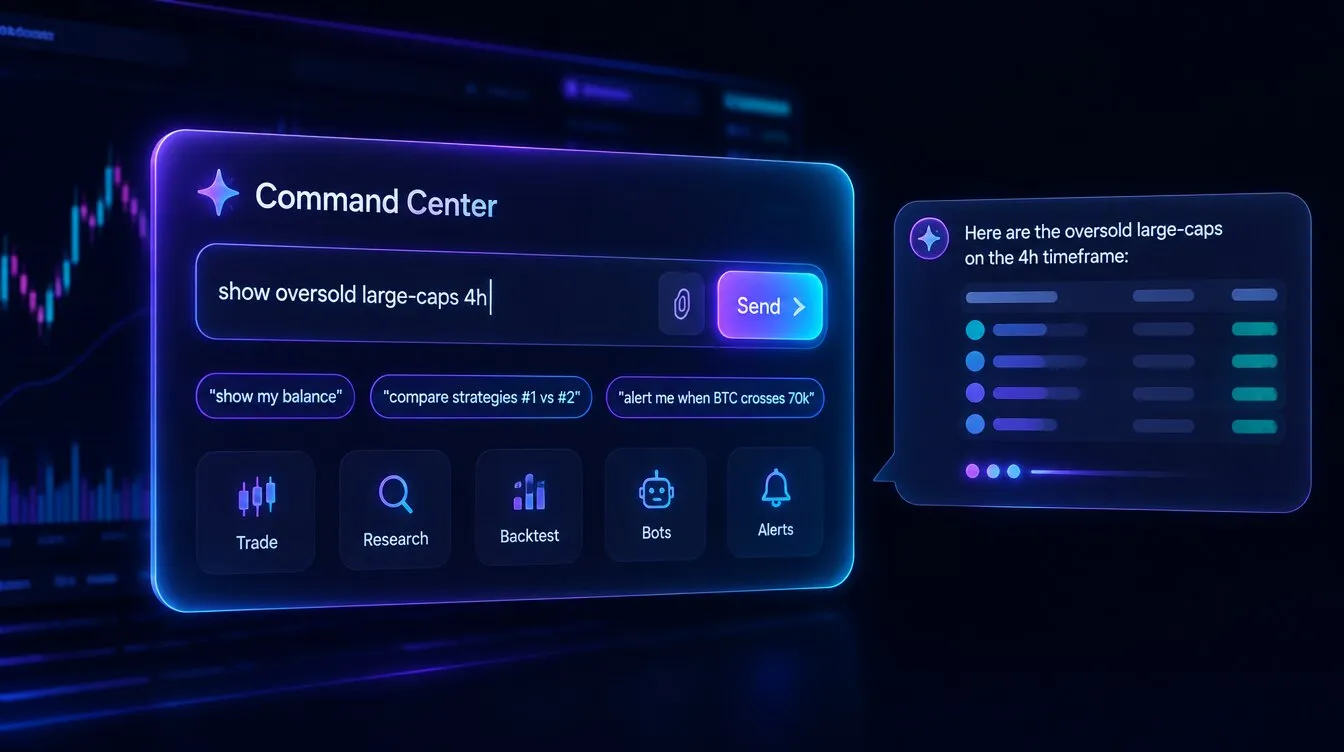
The Command Center is the FORA launcher on the Formion dashboard. It brings suggested commands, attachments and conversation into the same card, so a research question can start with the context already at hand.
What you see
Section titled “What you see”Commands provides a text field, attachment button, Send button and clickable examples. Categories cover buying/selling, limit orders and leverage, research, strategies, backtests, indicators, bots, alerts and portfolio analysis. Clicking an example fills the field so you can edit it before sending.
When account chat is enabled, Chat opens a conversation inside the card. Commands mode sends the request to FORA’s floating conversation. The information button explains the command categories, and the  Telegram link opens the Formion bot.
Start a task
Section titled “Start a task”- Open the dashboard and locate Command Center.
- Choose a suggested command or type a request such as “show oversold large-caps 4h”. Specify the symbol, timeframe and intended task.
- If useful, attach a chart image, PDF, DOC/DOCX, text or CSV (up to 12 MB per file, up to 6 files). Selected filenames appear above the field; remove any irrelevant file before sending.
- Click Send, or press Enter. Use Shift+Enter for a new line.
- Read FORA’s response and refine the request in the conversation. For ongoing text chat inside the card, select Chat when available.
- For trading tasks, inspect the proposed account, instrument, direction, amount and permissions before authorising the action.
Useful starting points
Section titled “Useful starting points”Ask “show my balance” for account context, “compare strategies #1 vs #2” for strategy review, or “alert me when  BTC crosses 70k” for an alert task. The examples describe requests you can make; successful execution depends on the available tool, licence and account connection.
The in-card Chat is text only. Live two-way voice with FORA is available on every plan, with daily session limits per plan (see Plans & Pricing). In the chart chat you can also turn on read-aloud replies and microphone dictation, which use your browser’s speech features. Keep instrument names and sizing explicit either way. See FORA for the cognitive loop and conversation modes.
Related: Brokers & Connections · Strategy Lab · Alerts · Pricing.