


Trading Terminal — The App
app.formion.ai is the Quantum Terminal — Formion’s full trading workspace. This page tours every area of the top navigation so you know where each tool lives.
Screen · Analyze · Execute — Formion AI in 2 minutes. A tour of the trading terminal.
Screener
Section titled “Screener”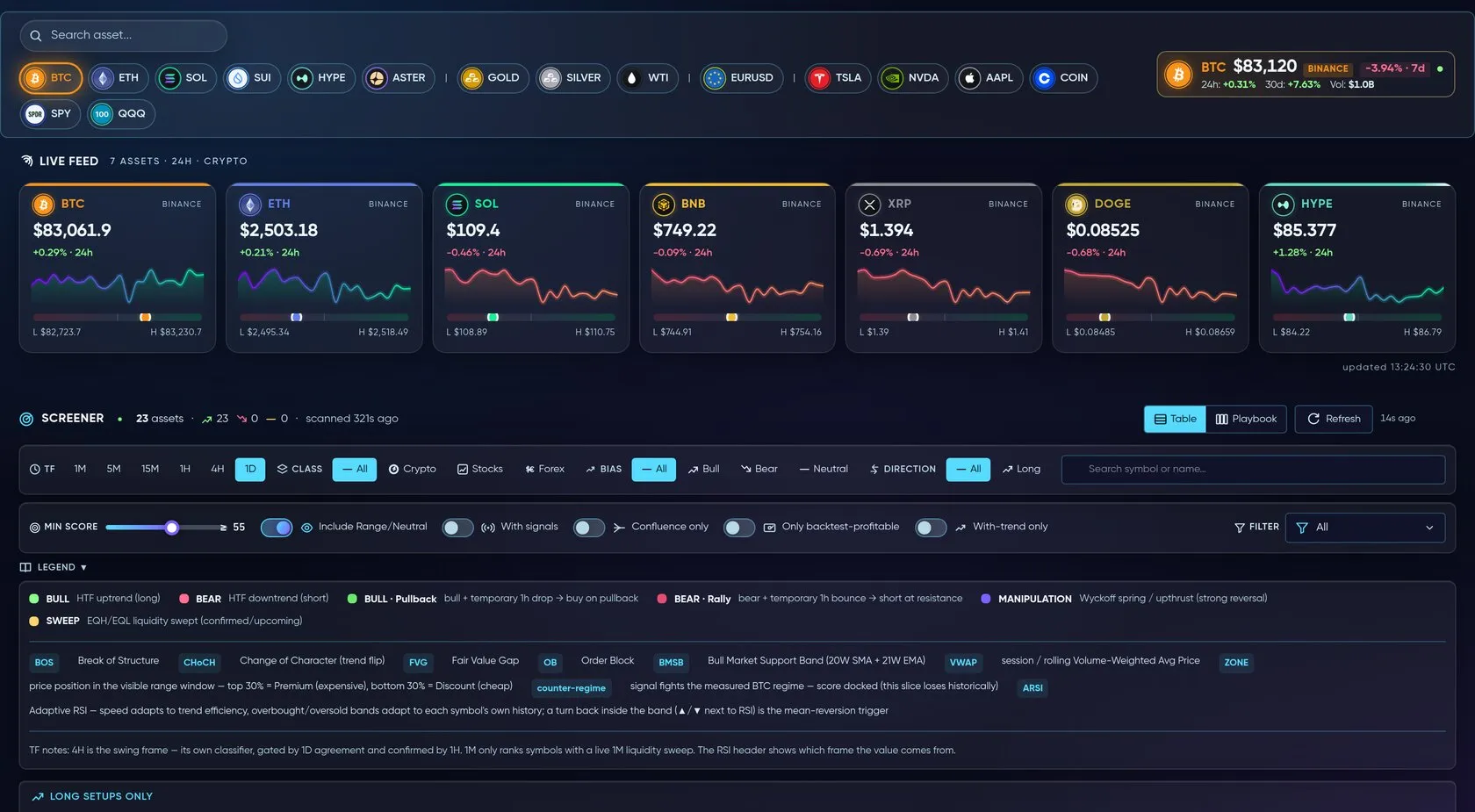
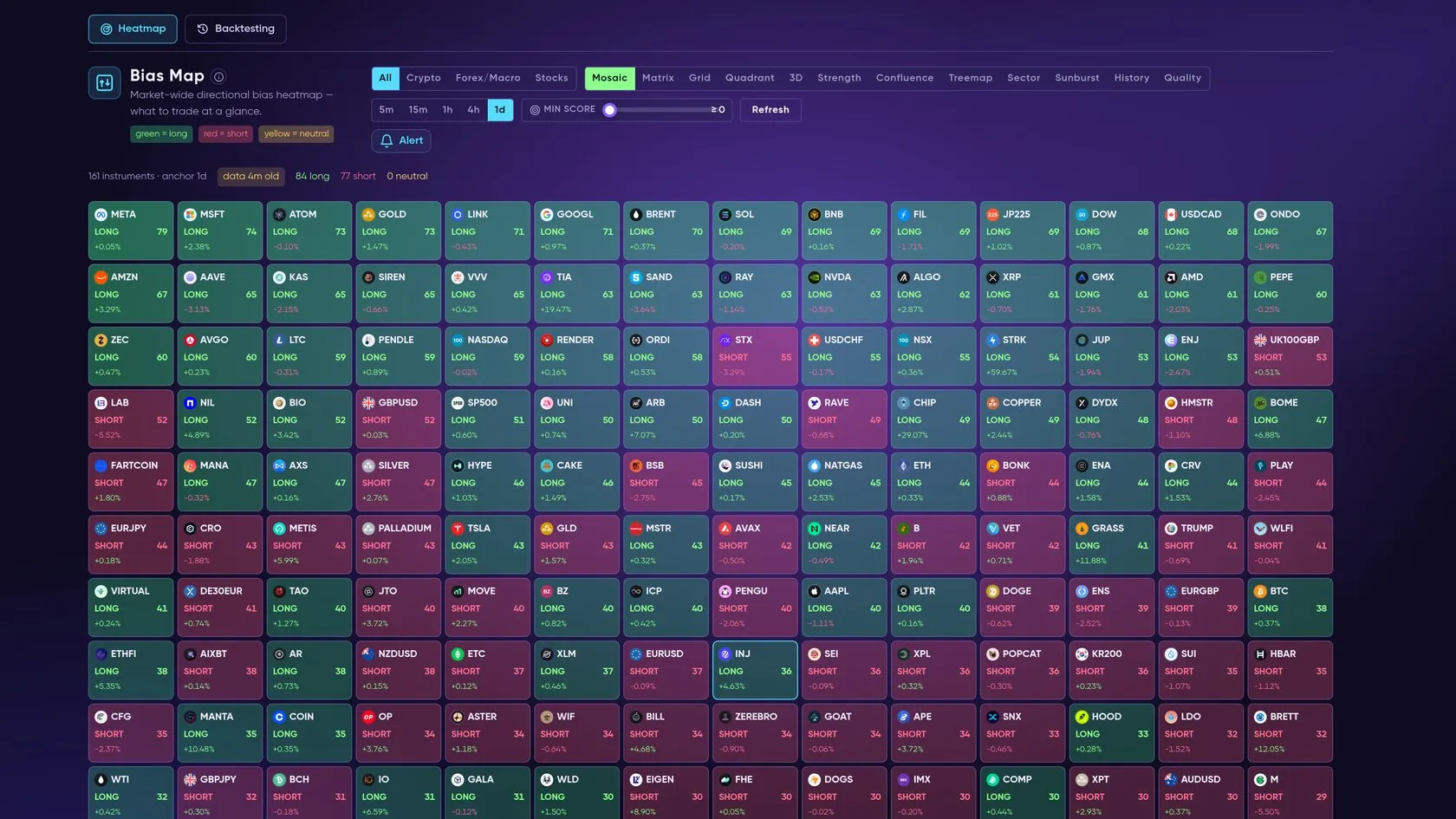
The home view: a ranked, sortable table of crypto, stock and forex symbols, each with one composite score (trend, momentum, volume, volatility) plus signal tags (FVG/OB entries, VWAP reclaims, BoS/CHoCH…). Sub-tools include:
- Bias Map — directional bias heatmap across 5 timeframes (5m → 1d) with a selectable anchor timeframe.
- Radar — 30+
 TradingView preset scans as signal cards.
- Hunt — a top-down US-equities setup funnel; Consensus — symbols where several engines agree.
- Patterns, Trend, Arbitrage, Order Book, Watchlist and the RSI/MACD/EMA/VWAP heatmaps.
Chart Pro (Quantum Terminal)
Section titled “Chart Pro (Quantum Terminal)”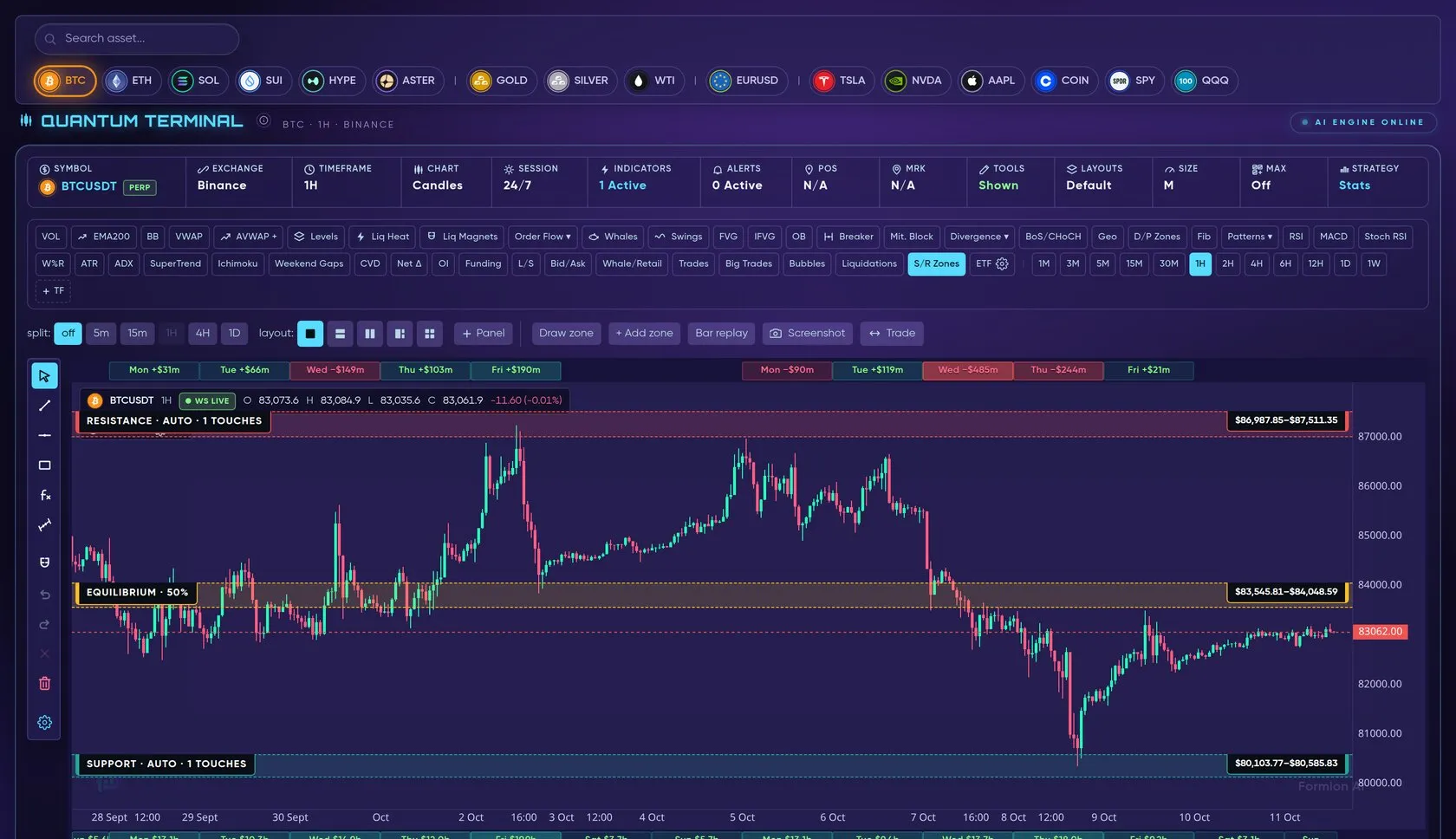
A professional chart: live OHLCV, 12 timeframes (1m → 1W), 100+ indicators (incl. the proprietary FormionTSI), custom Pine scripts via the User Indicator Studio, drawing tools, replay mode, multi-chart split view, saved layouts, and an order-flow Constructor workspace (volume profile, footprint, DOM ladder, orderbook heatmap, tape and liquidations, spoofing/iceberg detection). A new HL Trade Intent pane (preview) shows new longs and new shorts opened on  Hyperliquid per bar. Runs on Quantum Terminal (Swift + Velocity engines). Full guide → Chart Pro
Data Hub
Section titled “Data Hub”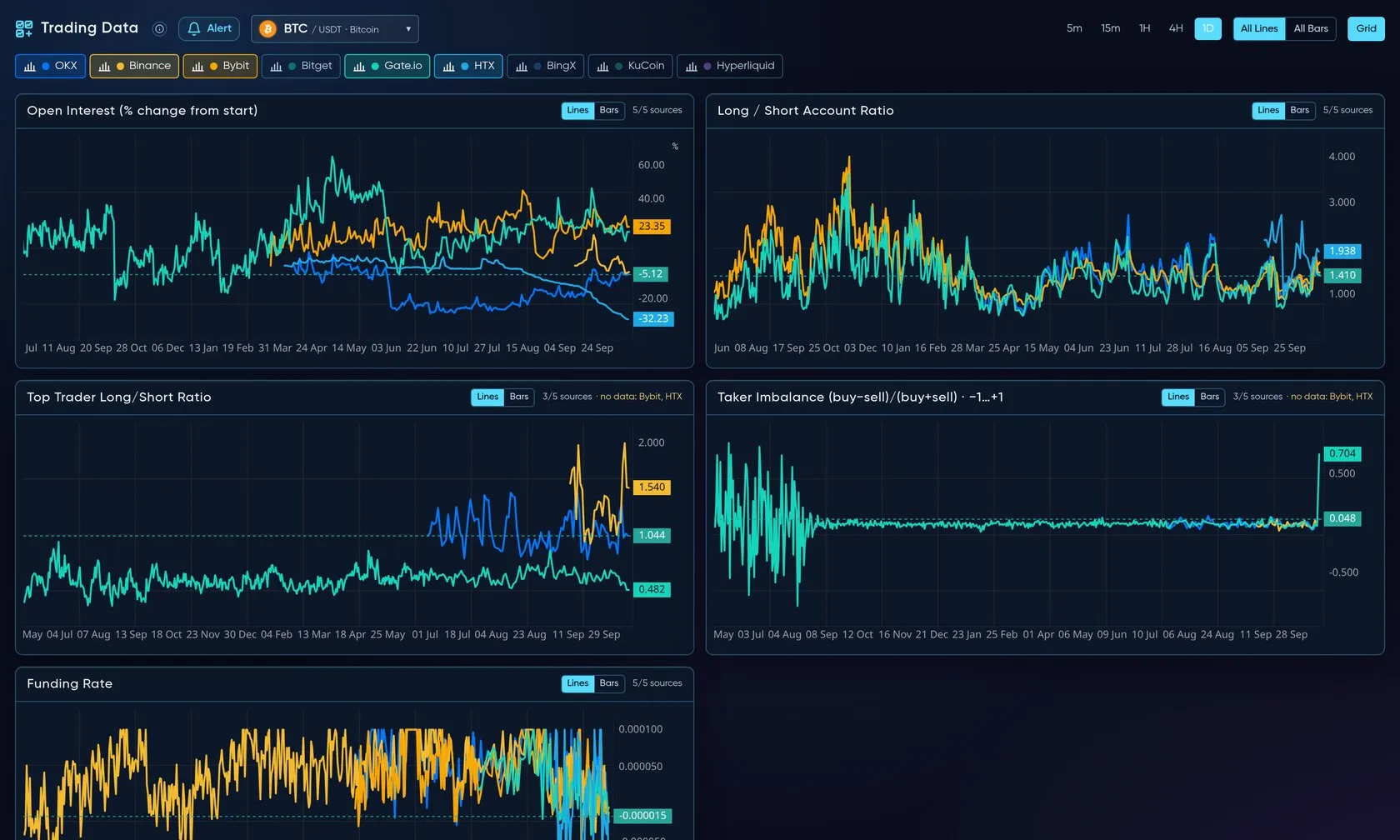
Real-time multi-exchange market data: open interest, long/short ratio, top-trader positioning, taker buy/sell delta and funding ( OKX,
 Binance,
 Bybit,
 Gate and
 HTX by default). Plus the Liquidity Map (recorded resting liquidity across 11 markets) and order-flow pages (Order Flow, DOM Pro, Liq Map, Walls) and scanners — Funding, OI Surge, Divergences, Patterns, Volatility, Options, Gamma/GEX, Events and US Stocks. Full guide → Data Hub
Coins Hub
Section titled “Coins Hub”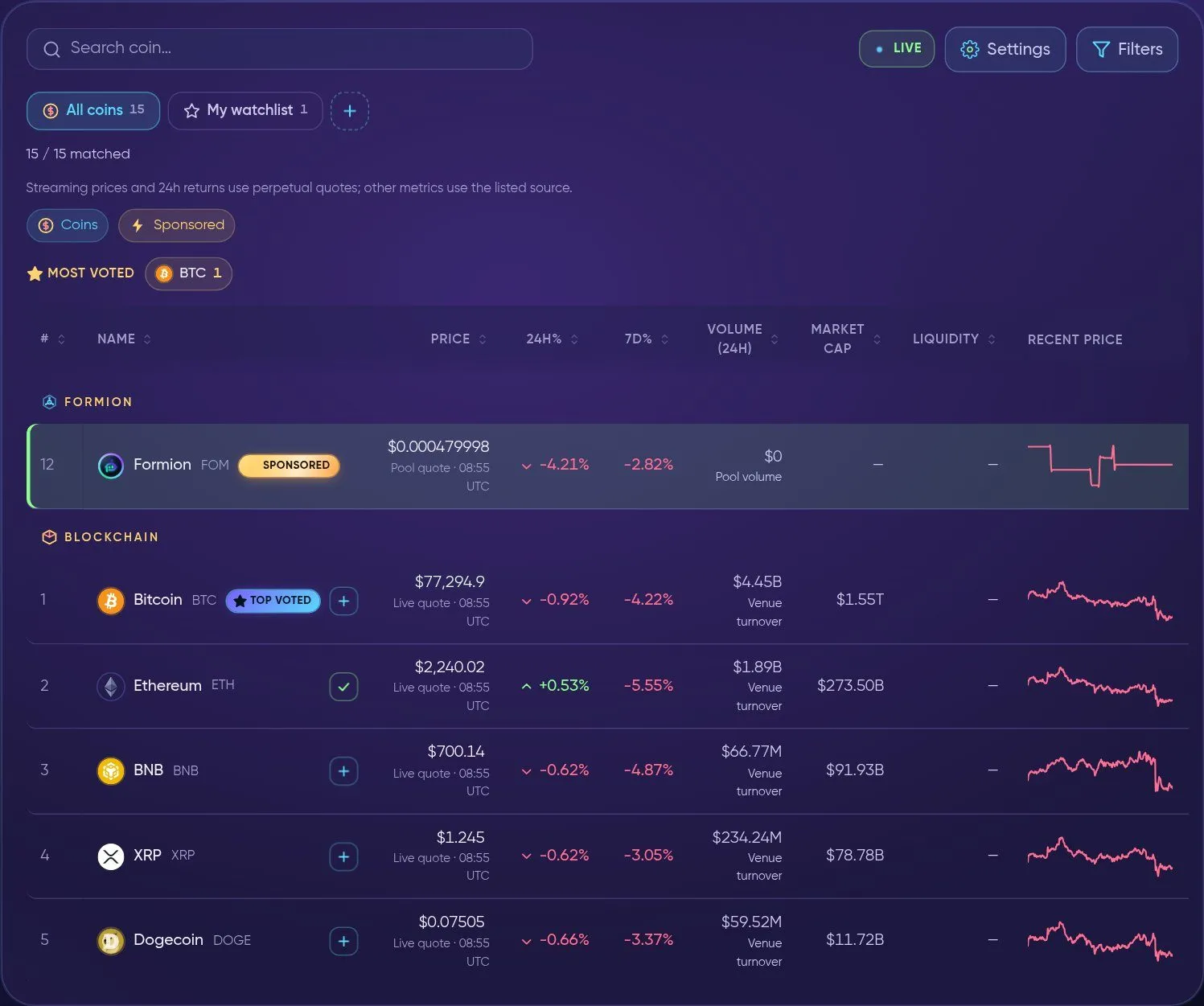
Coins Hub → Dashboard — the live coin table with watchlists.
Dashboard — Trend Watch plus a live coin table (search, filters, watchlists, ST/LT trend scores and a detail page for every coin) — and Presale Watch are open to everyone; Sniper and DEX Swaps need a login. GMGN is being rebuilt, and Token Scanner, Smart Wallets, Graduation Radar and Listing Radar are temporarily unavailable while we fix logic errors (Coins Hub is labelled BETA). Formion Pulse now lives in the Analytics hub. Full guide → Coins Hub
Analytics
Section titled “Analytics”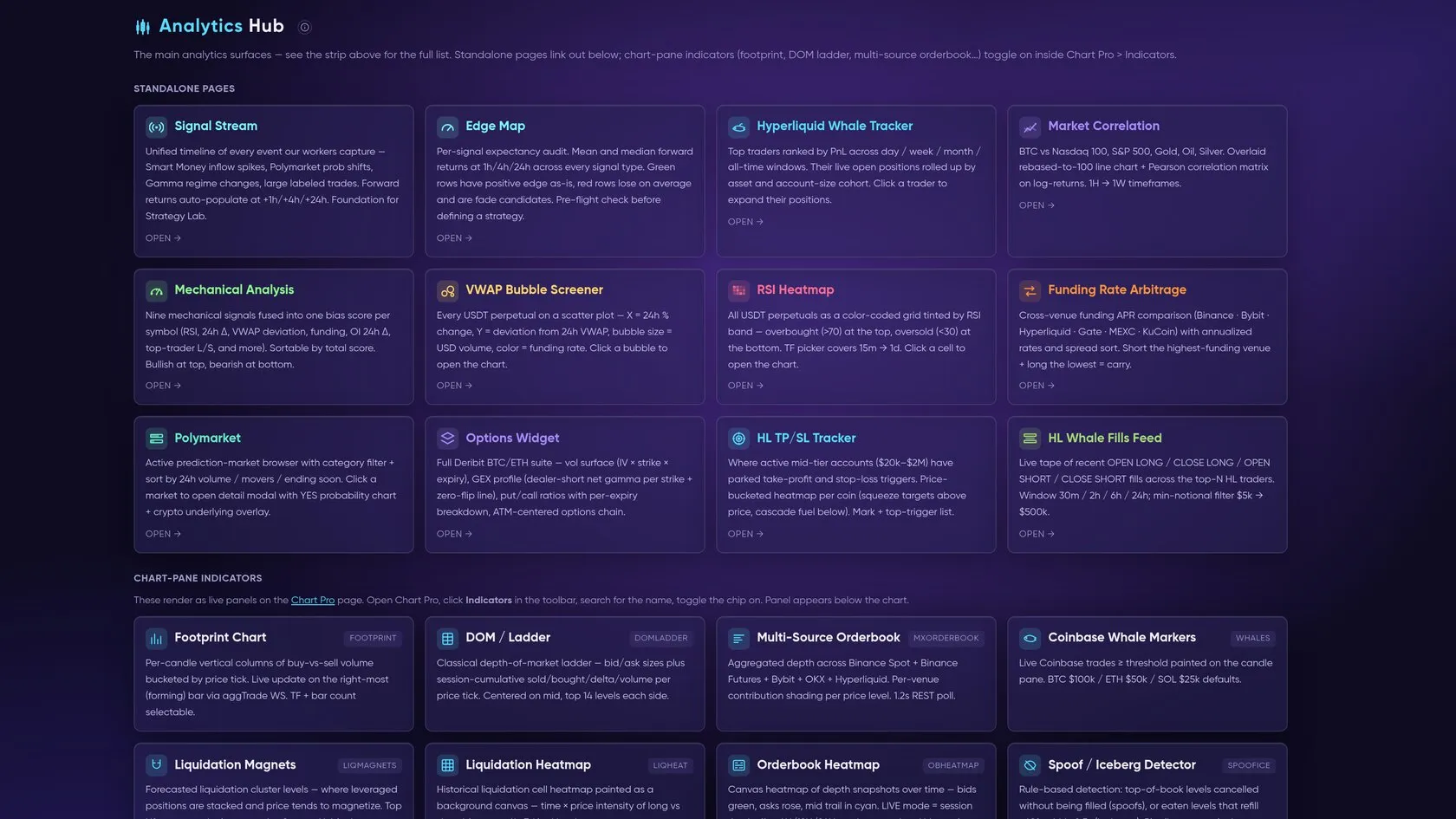
A hub of 20+ standalone tools: Signal Stream & Edge Map (per-signal expectancy), HL Whales / HL TP-SL / HL Fills / HL Directory / HL Whale Compass, Correlation ( BTC vs Nasdaq/S&P/Gold/Oil), Premium, Spot vs Perp, ETF Flows, Mechanical, Funding Arb, Sentiment, SmartMoney, VWAP/RSI/MACD/EMA heatmaps, AI Brain, and the
 Polymarket browser + top traders. Full guide → Analytics
AI Advisor
Section titled “AI Advisor”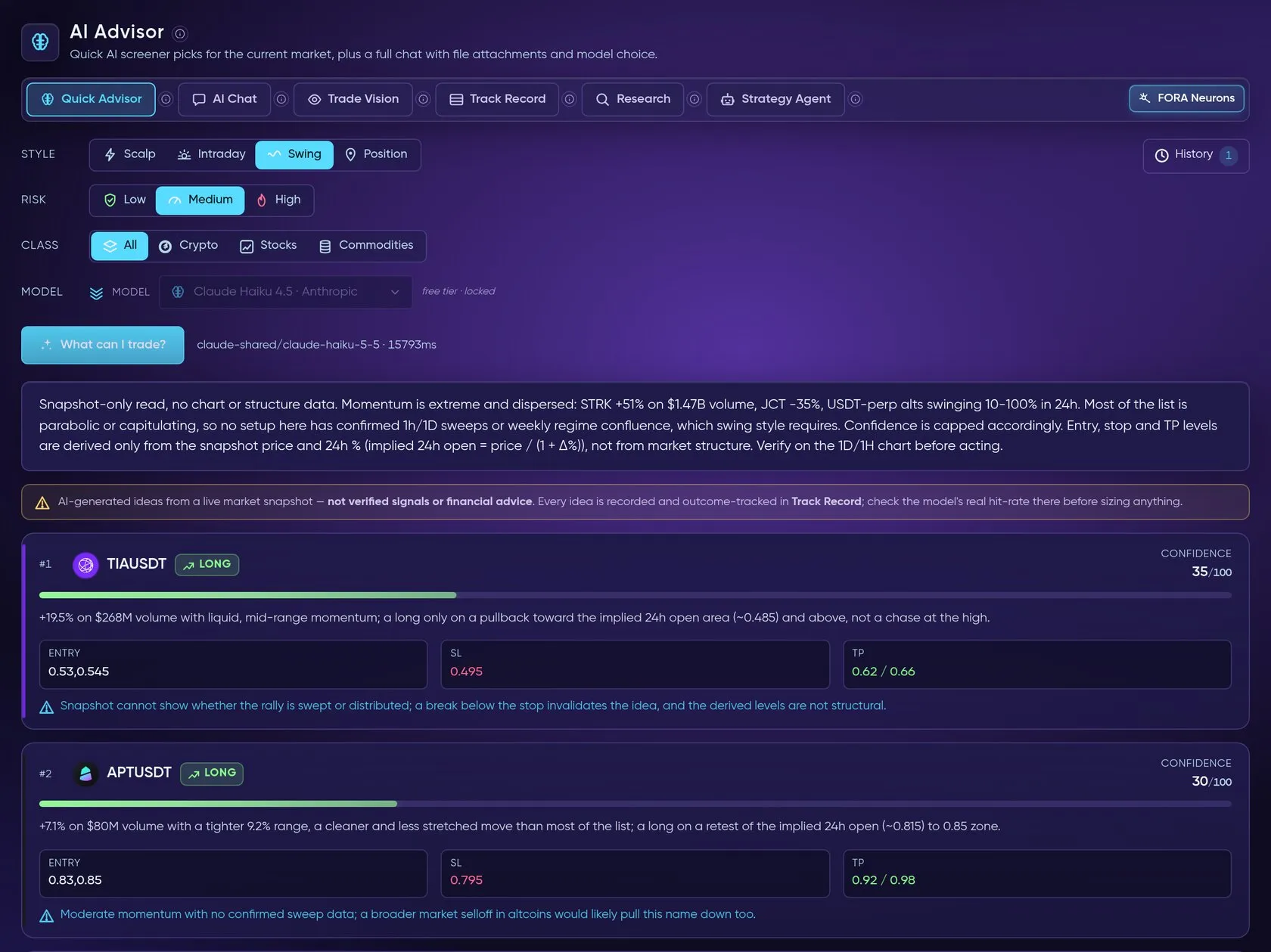
Pick a style/risk/asset class and the AI ranks tradeable ideas from a live screener snapshot. Includes free-form AI Chat (file attachments, model picker, thinking toggle), Trade Vision (screenshot → plan), a Track Record of the advisor’s past ideas, Research (RAG reports + Portfolio Builder) and the Strategy Agent.
Neurons
Section titled “Neurons”Your always-on FORA watchers have their own menu item, between AI Advisor and Backtest; the green number shows how many are active. The dashboard lists every Neuron with Pause, Edit, Run now and Delete, and a timeline of when each one fired or came close, why and where the message went. See FORA Neurons.
Backtest
Section titled “Backtest”A hub with many sub-tabs: the Backtester, All Trades (Trades History) unified across engines, Trade Ideas, Strategy Lab (no-code builder + Strategy Finder AutoML + Marketplace to publish your strategy and earn), My Strategies (backtest your saved strategies), All Sources, Compare, plus dedicated trackers for GEX, TP/SL strategies,  Gold DCA, Stocks DCA, Polymarket, Options · Vol, Confluence,
 Telegram Signals, Signalix, Setup Backtest and Footprint.
Signals
Section titled “Signals”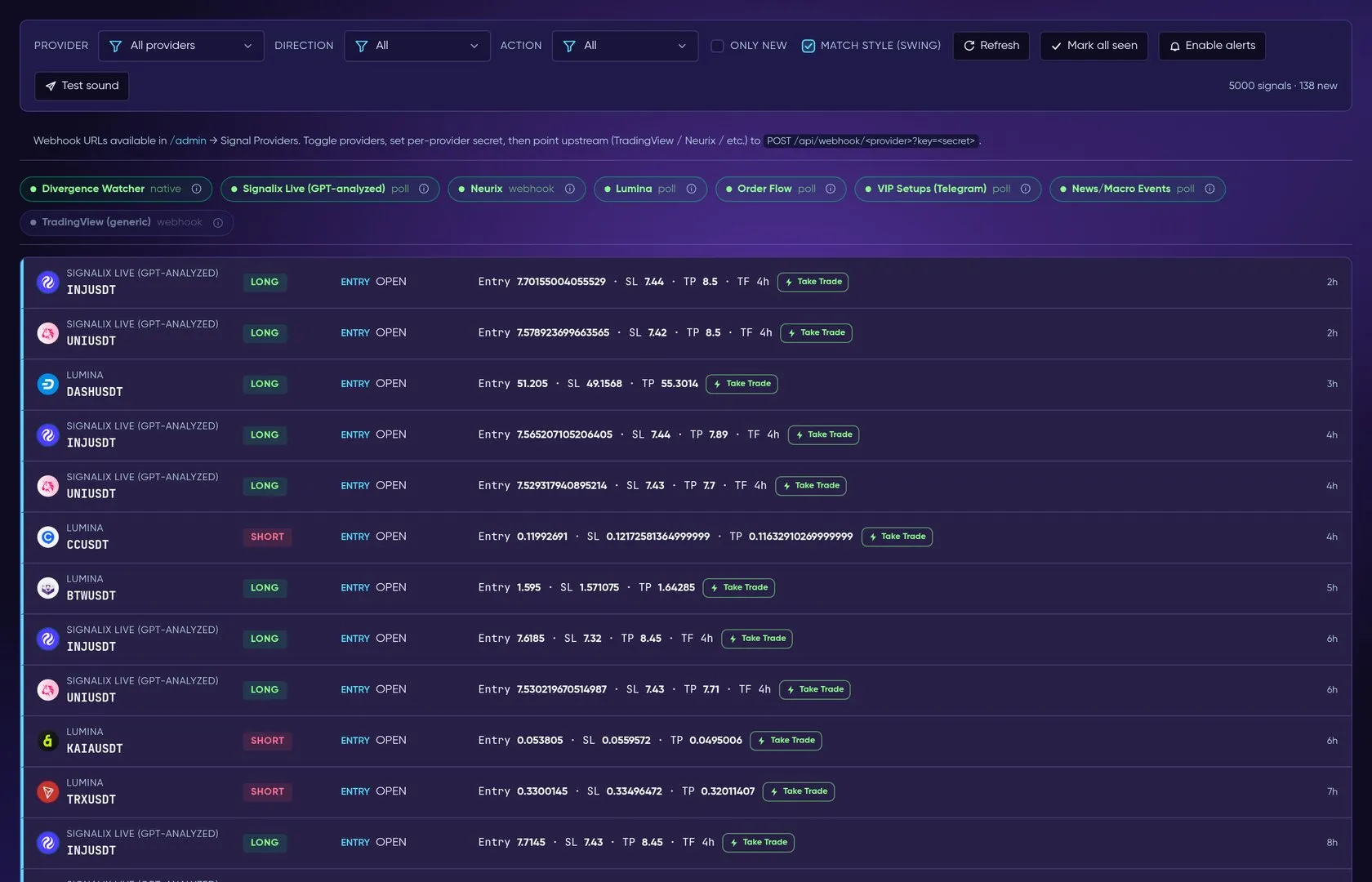
A dense live stream of signals from every provider (webhooks + polling), with win/loss coloring, audio + browser notifications, and a My Alerts builder for custom price/RSI/SMC/liquidation rules delivered to browser, sound, email or Telegram.
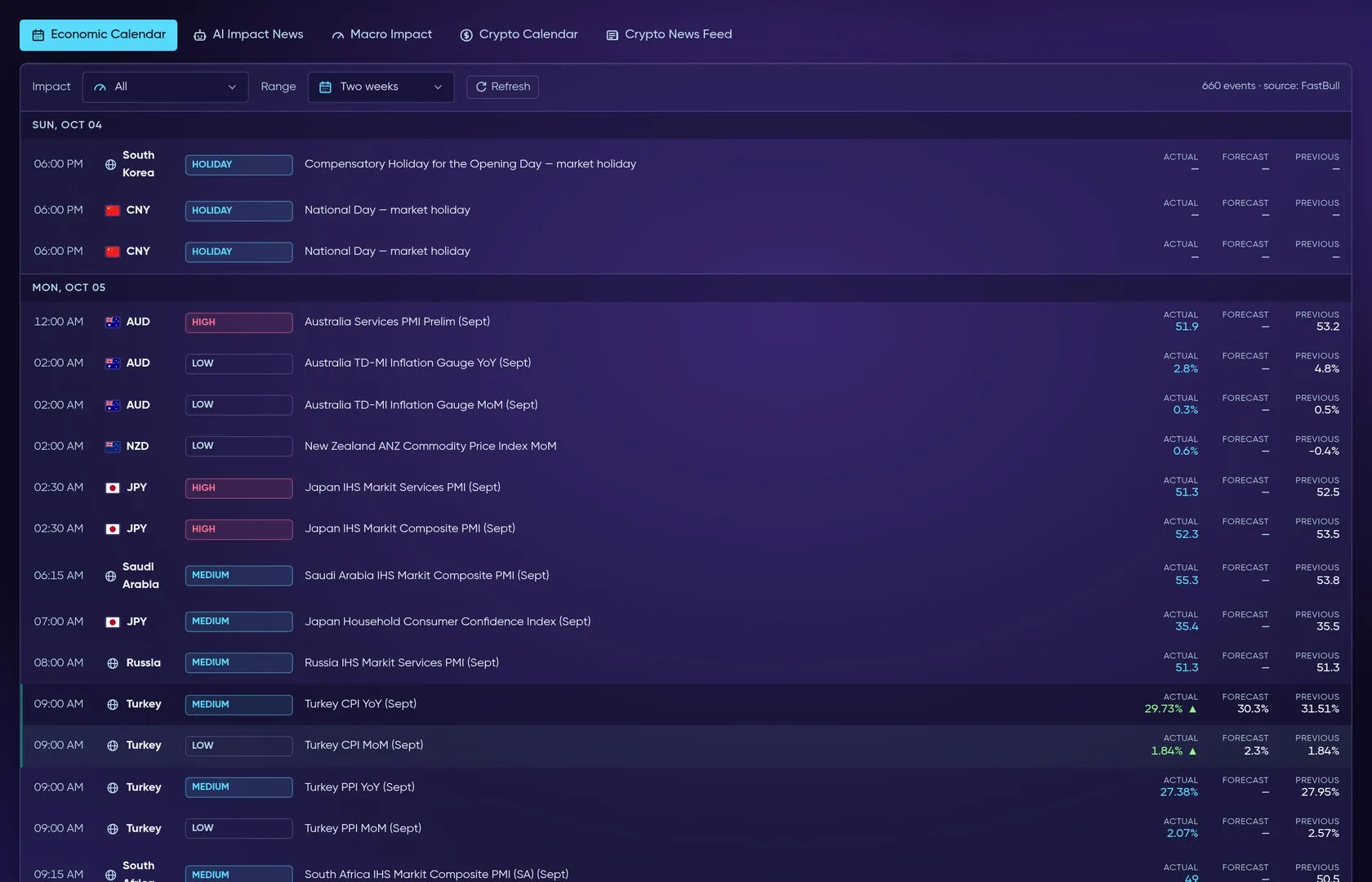
Economic calendar (impact-colored), AI-scored impact news (bullish/bearish/neutral), crypto event calendar and a headline feed.
A live order-entry dock: symbol search, size calculator, entry/stop/TP brackets, real-time P&L and position management.
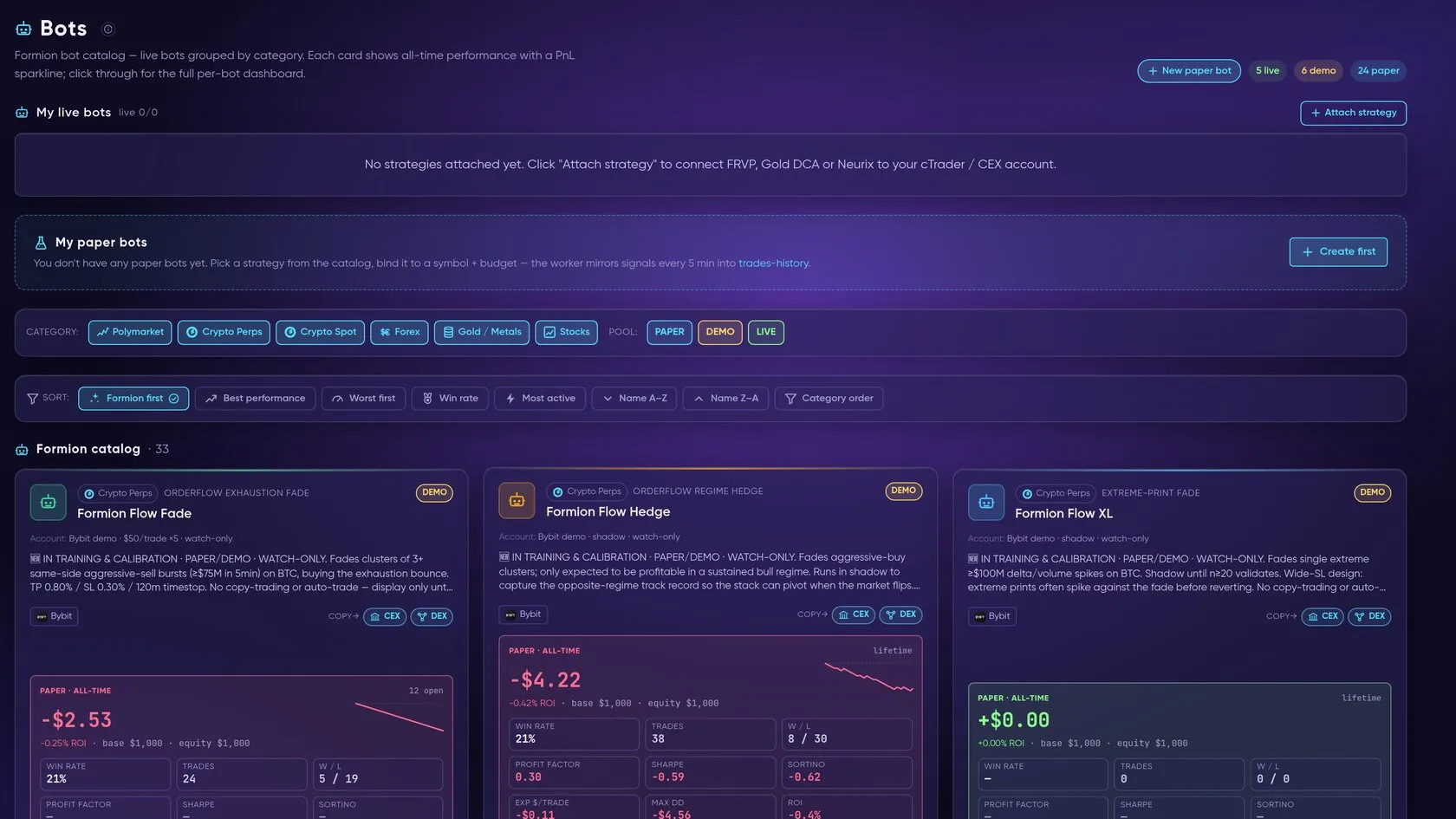
The catalog of Formion bots (crypto, gold/metals, forex, stocks, prediction markets…) with their tracked results, plus your own user-built bots under My Bots. See Bots & Automation.
Journal
Section titled “Journal”Per-trade journaling with notes, tags, screenshots and full performance review, exchange import, an AI review of your trades and P&L share cards. See Trading Journal.
Formion’s trader social space: post calls, have them graded against real price action, and compare contributors on the leaderboard. See Swarm.
Coming soon
Section titled “Coming soon”Predictions (an AI price-projection panel) and Academy are marked Soon in the navigation; a few introductory lessons are already at formion.ai/academy. Funding Carry and spread research are available through the Screener and Analytics workflows.
Current workflow additions
Section titled “Current workflow additions”Use Command Center on the formion.ai dashboard to launch FORA, News for macro and crypto events, Swarm for trader calls, Funding Carry for cross-venue research, and Trades History for tracked outcomes. Connect  cTrader forex/CFD brokers alongside crypto exchanges.
Academy and Predictions are marked Soon in the navigation.