


Alerts
Never miss a setup. Formion delivers alerts across five channels and lets you build your own rules — plus per-strategy alerts on every bot and engine.
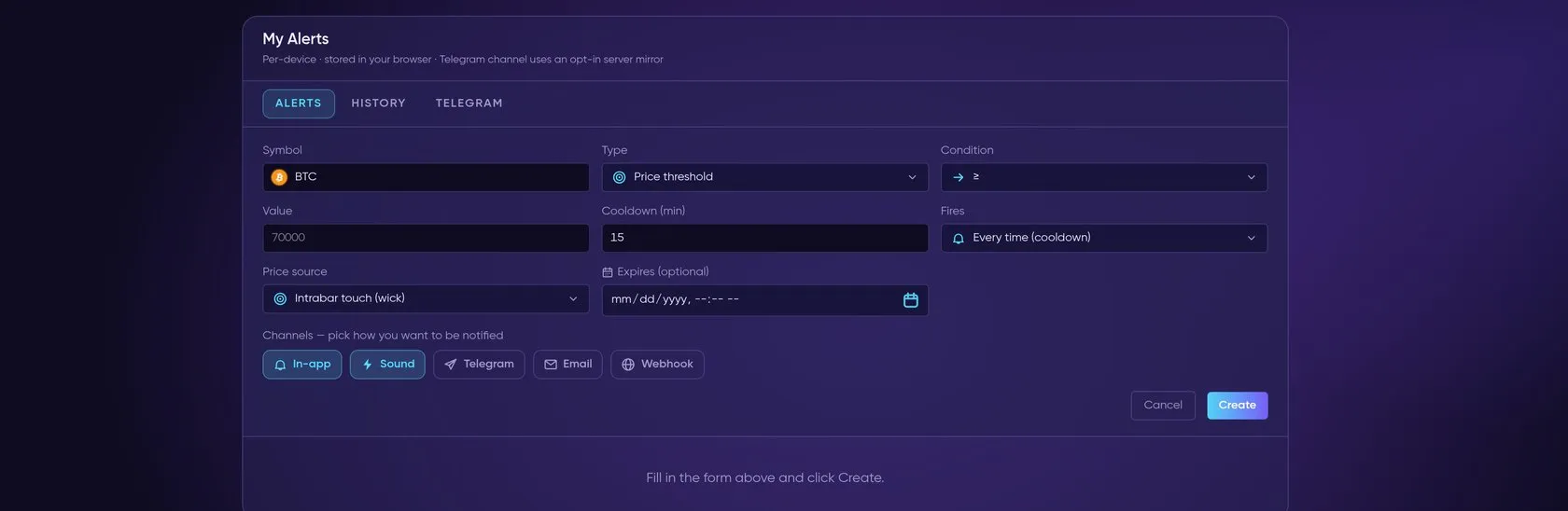
One rule from start to finish: new alert → condition → channels → alert fires (demo values).
Live recording: My Alerts → New alert — BTC ≥ 80,000, firing rule, channels (In-app and Sound on), Create.
Channels
Section titled “Channels”One rule can notify you through any combination of the five channels.
| Channel | Use |
|---|---|
| Browser | Browser notification + on-page toast while the app is open |
| Sound | Audio ping for hands-off monitoring |
 Telegram |
Push to your Telegram so you’re alerted with the browser closed — see Telegram Signals for linking |
| Inbox delivery | |
| Webhook | POST to your own endpoint (automation, Discord, your bot) |
What you can alert on
Section titled “What you can alert on”- Custom rules — price, % change, RSI, MACD cross, EMA alignment, SMC order-block / FVG events, divergences, liquidation clusters, your drawn zones, custom-indicator conditions and multi-condition confluence
- Per-strategy / per-bot — get pinged when any tracked engine fires a signal (contextual on Trade History, Strategy Lab and indicator panels)
- Market events — funding thresholds, open-interest changes, GEX flips, smart-money (whale) flows, economic-calendar releases and crypto-calendar events
The Signals tab collects every provider’s signals into one live feed, and app.formion.ai/signals/alerts is where you create and manage your own alert rules. Telegram delivery needs your Telegram linked in profile → Connections with Telegram notifications on in profile → Account → Preferences.
Current workflow
Section titled “Current workflow”Use alerts alongside News, Telegram Signals and your market views. An alert notification is distinct from an authorised trading action. Check the destination and rule before enabling it.