


How to Start with Formion AI? API Connection?
Choose the account and market you intend to use. Keep enough available margin for the order size you configure; a successful connection check does not mean an order can be funded.
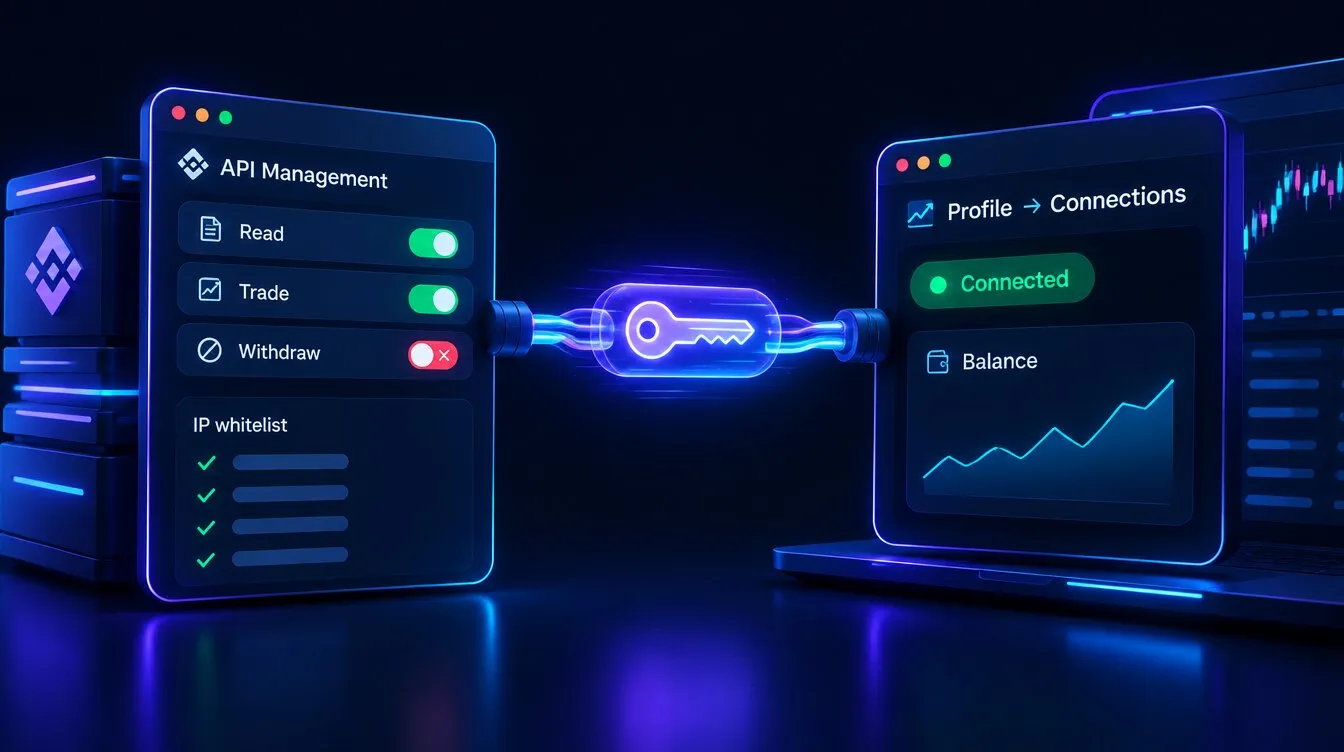
From exchange to Formion in 16 seconds: choose exchange → create API key → read + trade, withdrawals off → link in Profile → Connections → verify (demo values).
For Binance:
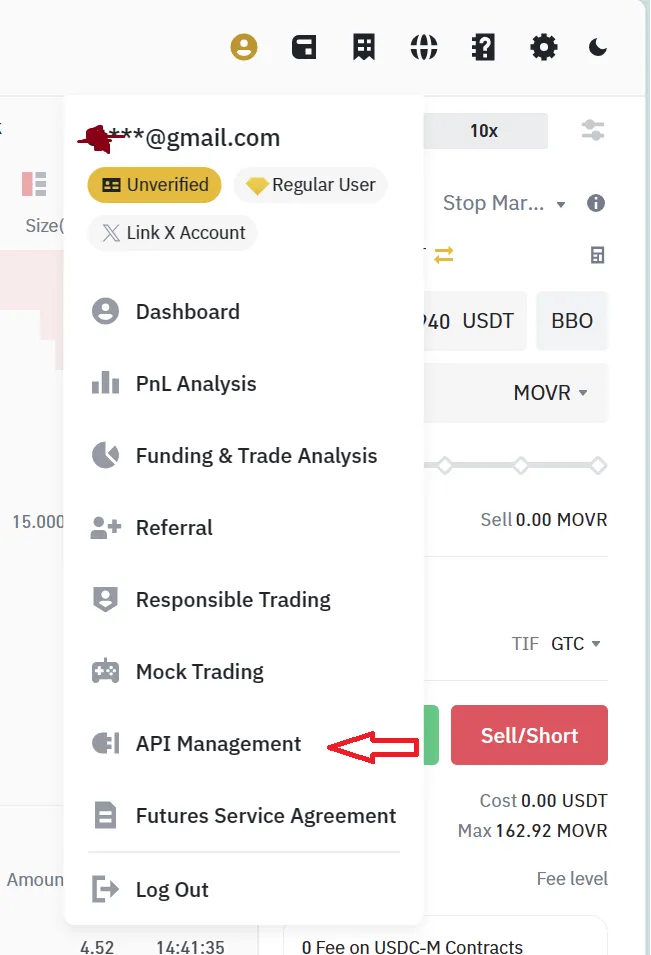
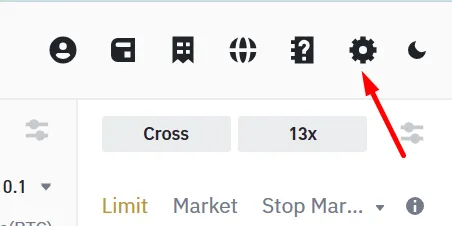
Section titled “For Binance:”For  Binance go to User icon and API Managament
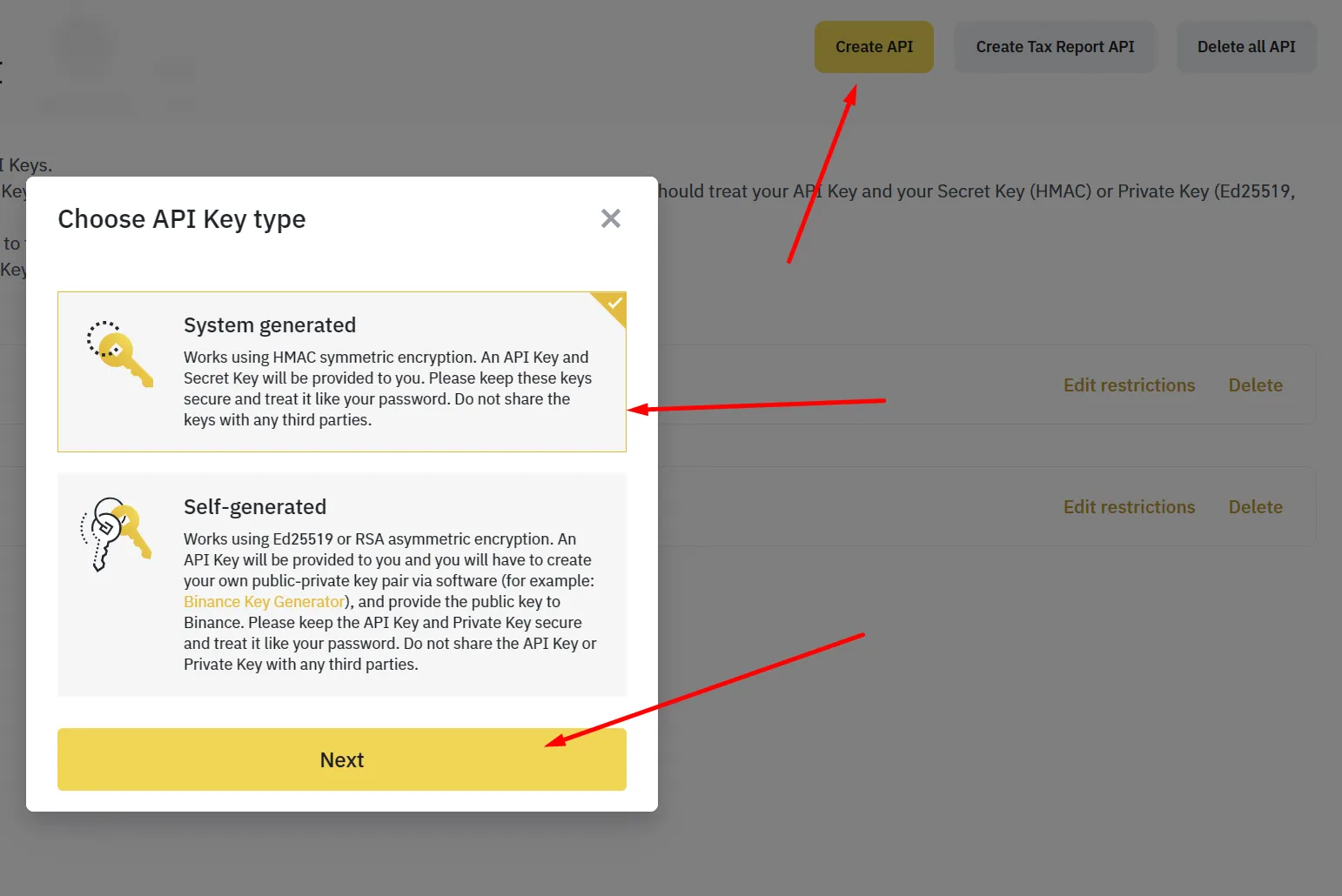
Then click on Create API button and choose System generated, put any name you want and click Next
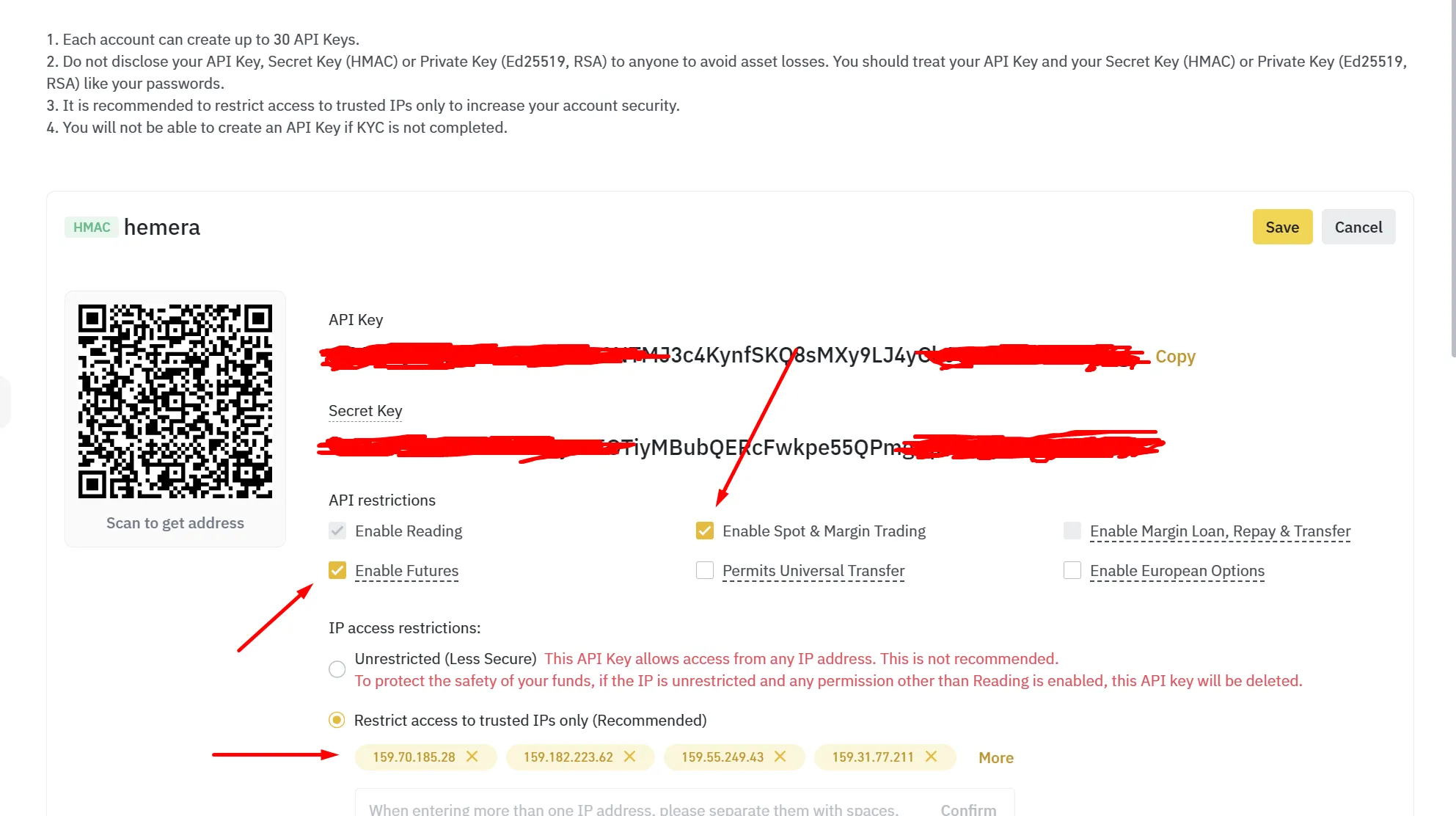
You will get API keys. Edit the restrictions: enable Futures and Read Info, and leave Withdrawals off. Save, then copy both the API key and the Secret key — Binance hides the Secret after this page.
Now open Profile → Connections on formion.ai, click to link an exchange, choose Binance, paste the API key and Secret, and click Link exchange.
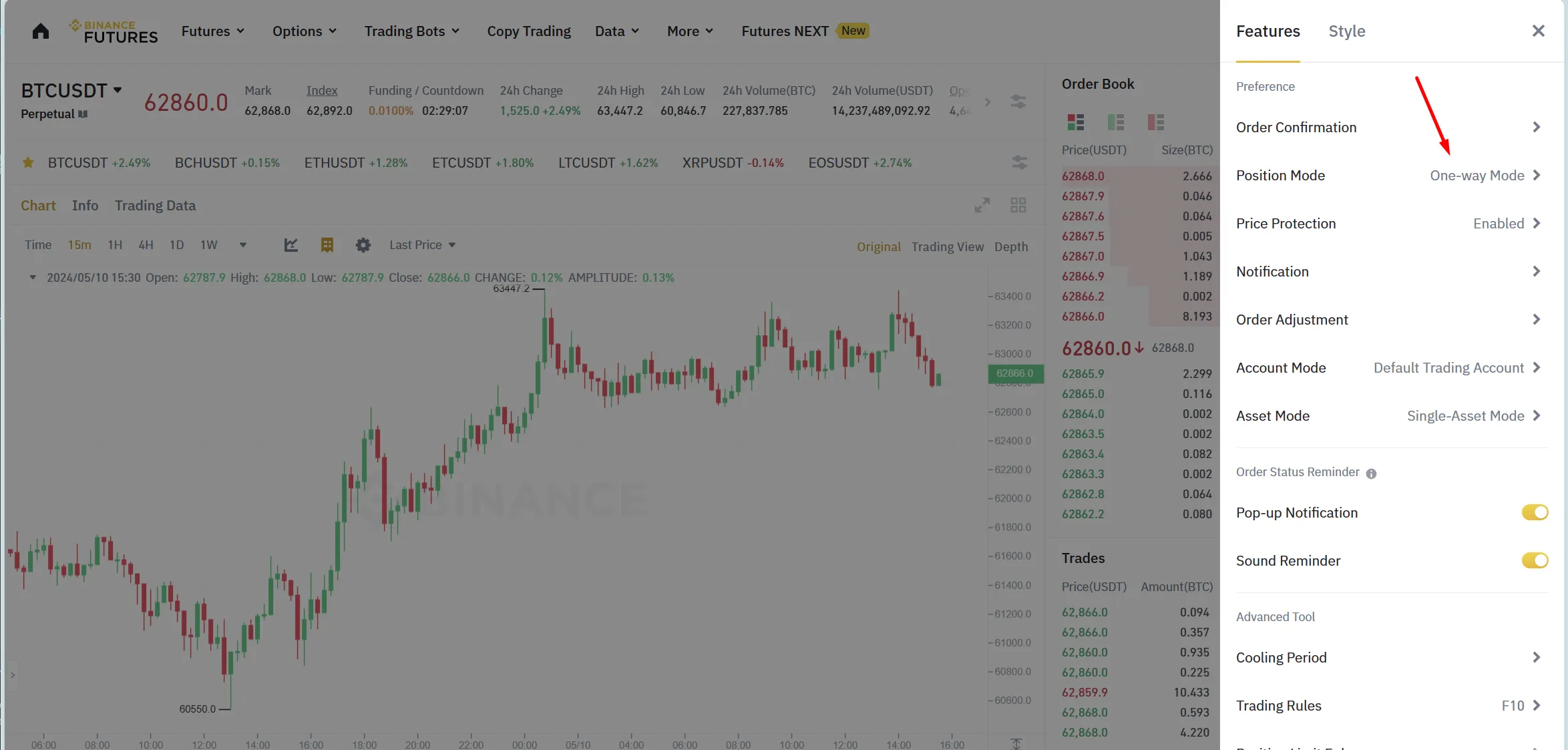
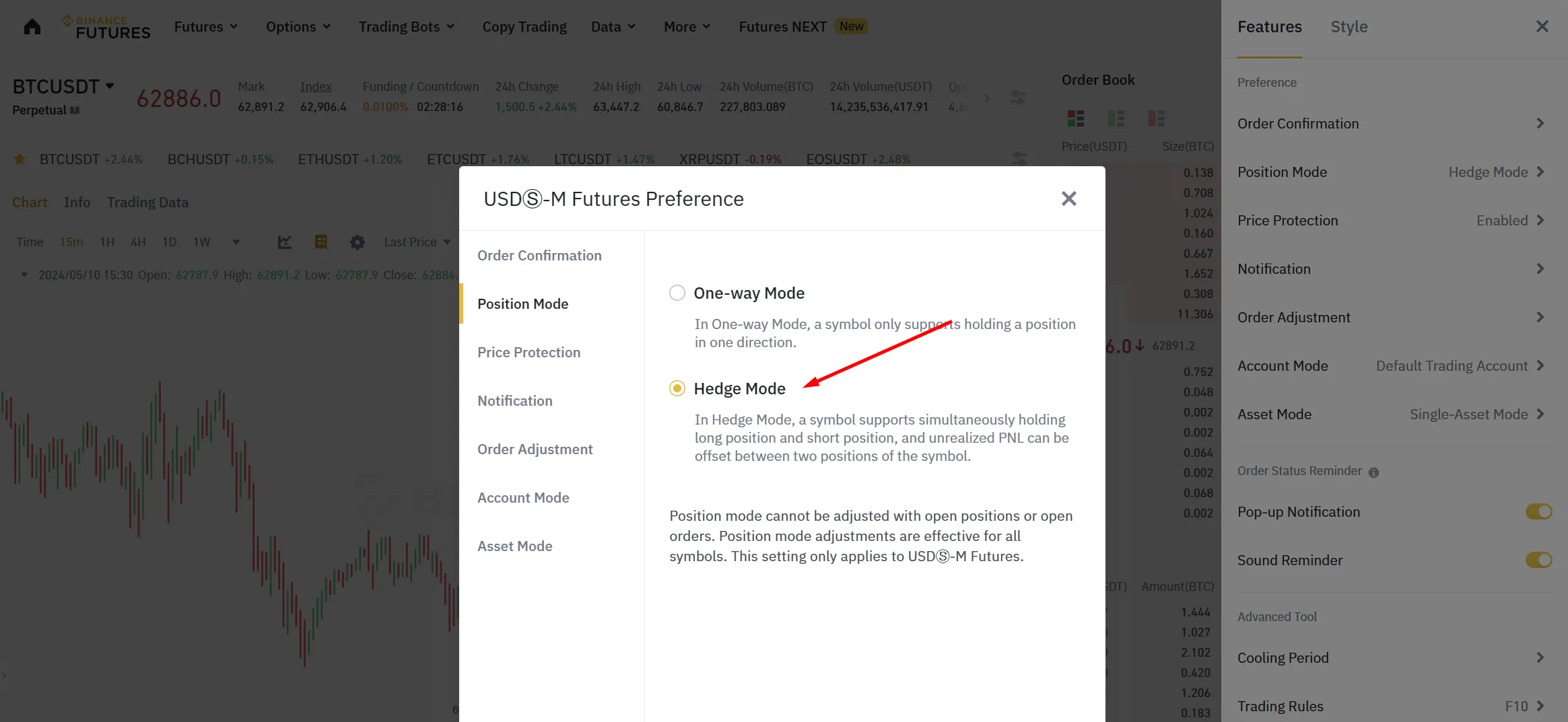
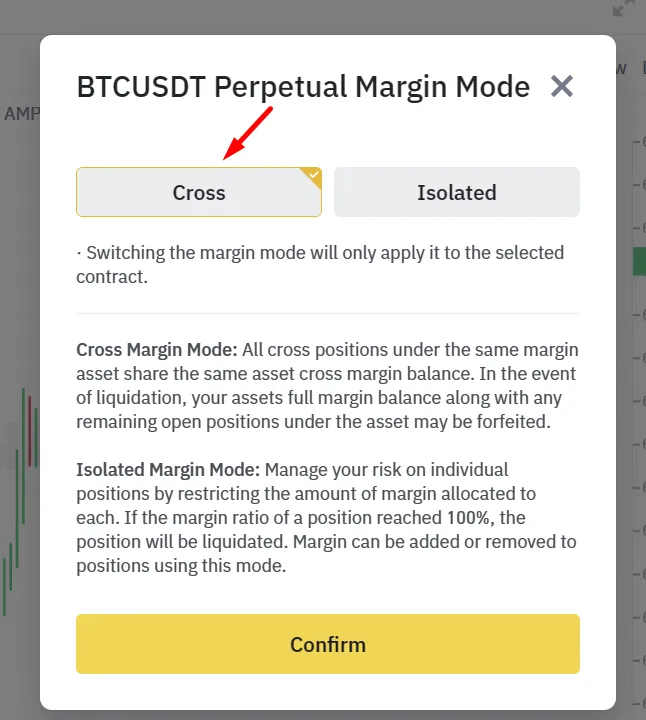
For a bot configured for hedge positions and cross margin, match those settings on Binance Futures before starting it. Verify the intended market and mode in the bot form.\
For Bybit:
Section titled “For Bybit:”For  Bybit the situation is the same but here if you want to use multiple bots our advice is to create each subaccount for each new bot! Each subaccount needs its own API key and uses one Formion subaccount slot (Pro 3, Institutional 6; Neural links main accounts only). Also make sure your account type is UTA ( Unified Trading Account )
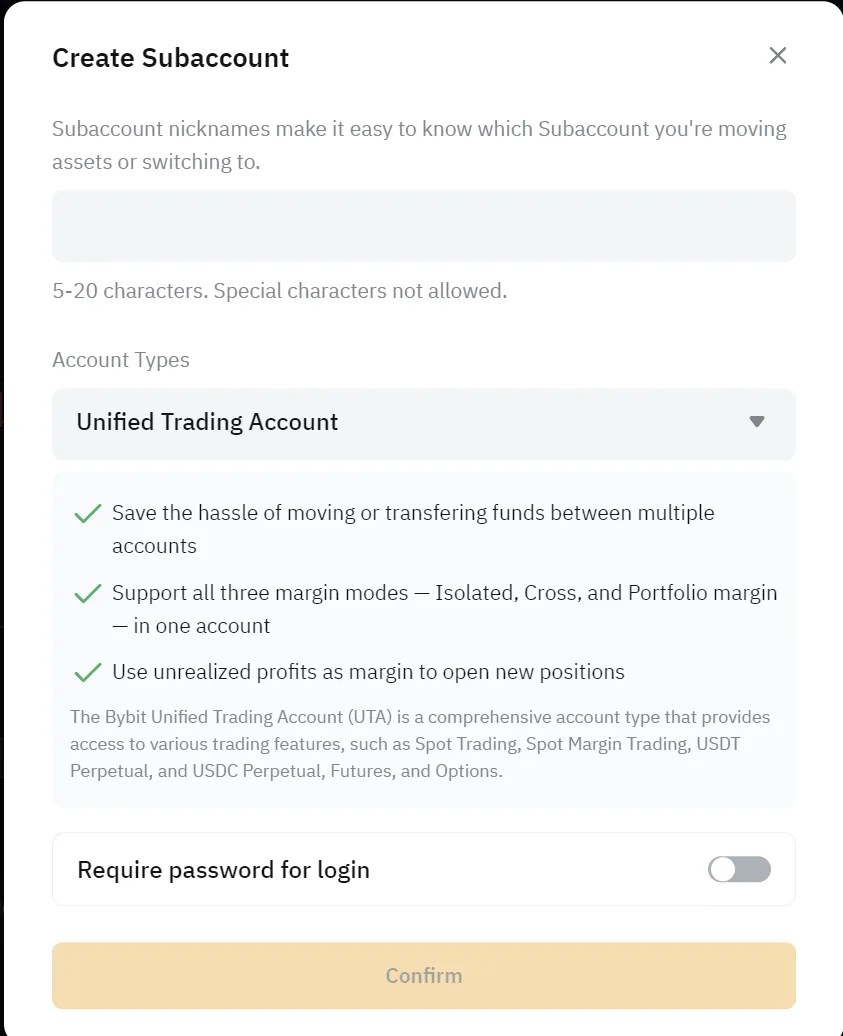
Then go to API Managament tab page and click on Create New Key and enable Google 2FA if you are using it ( It’s recommended!)
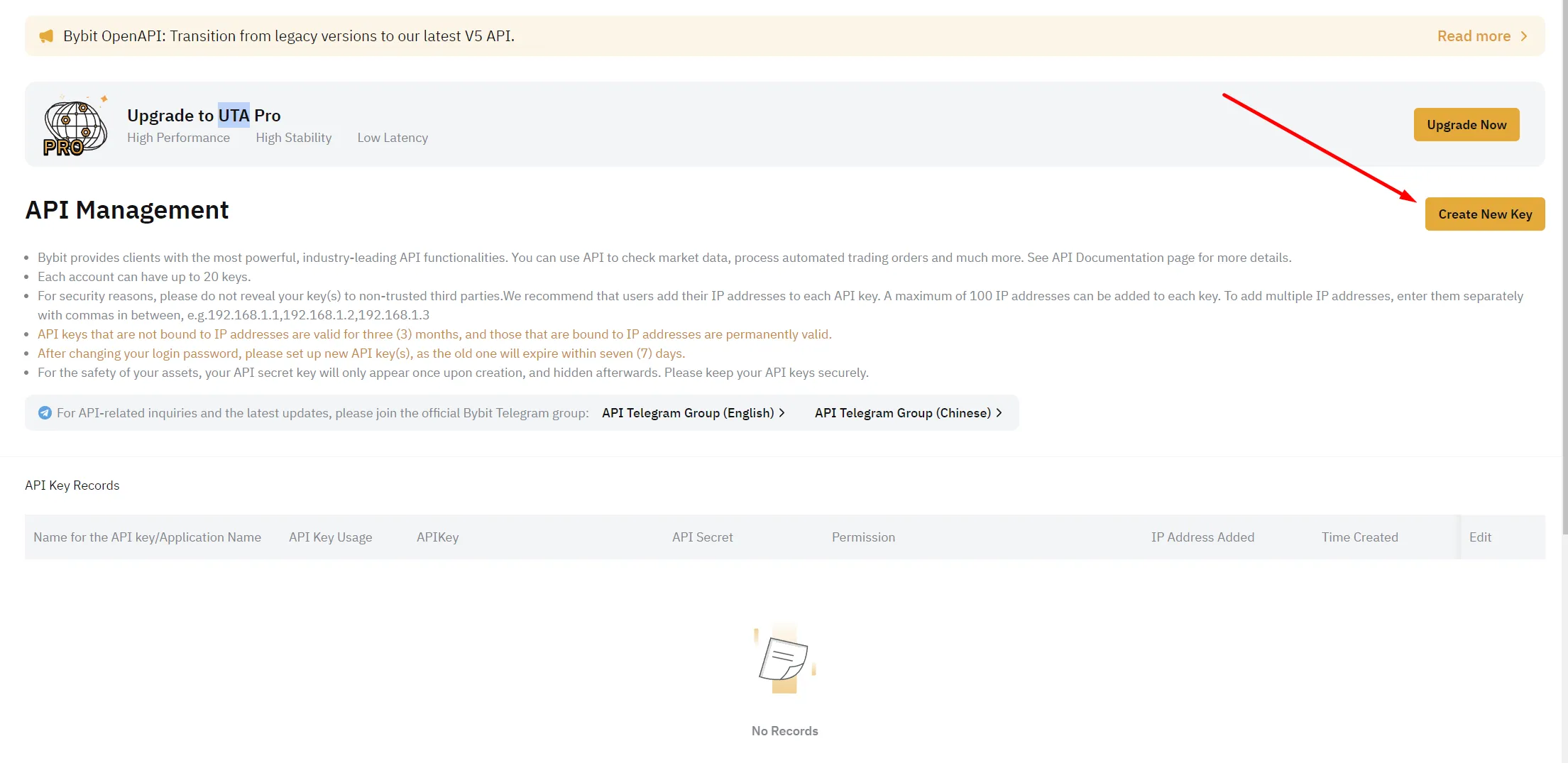
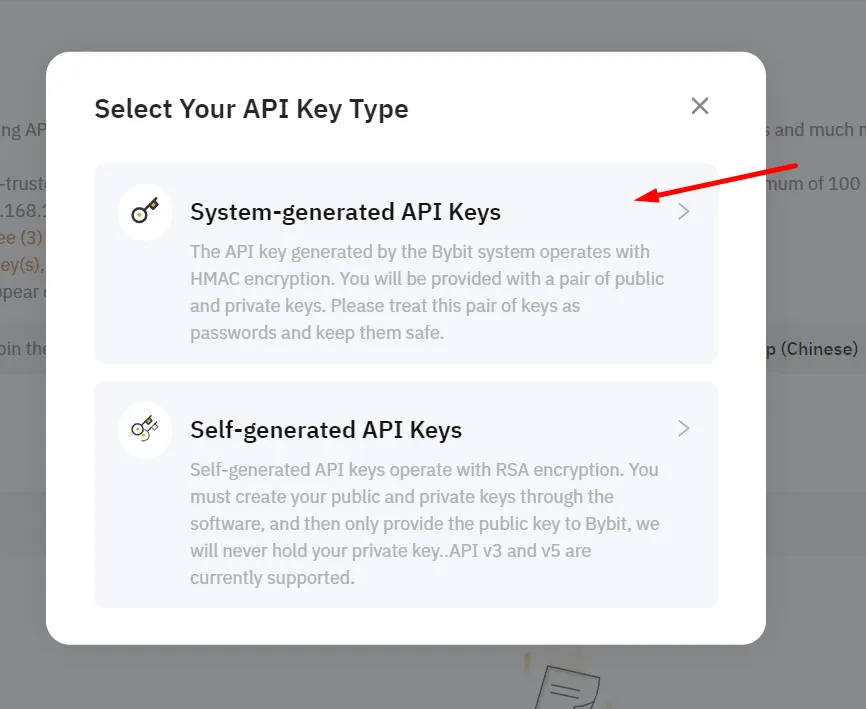
Click on System-generated API Keys
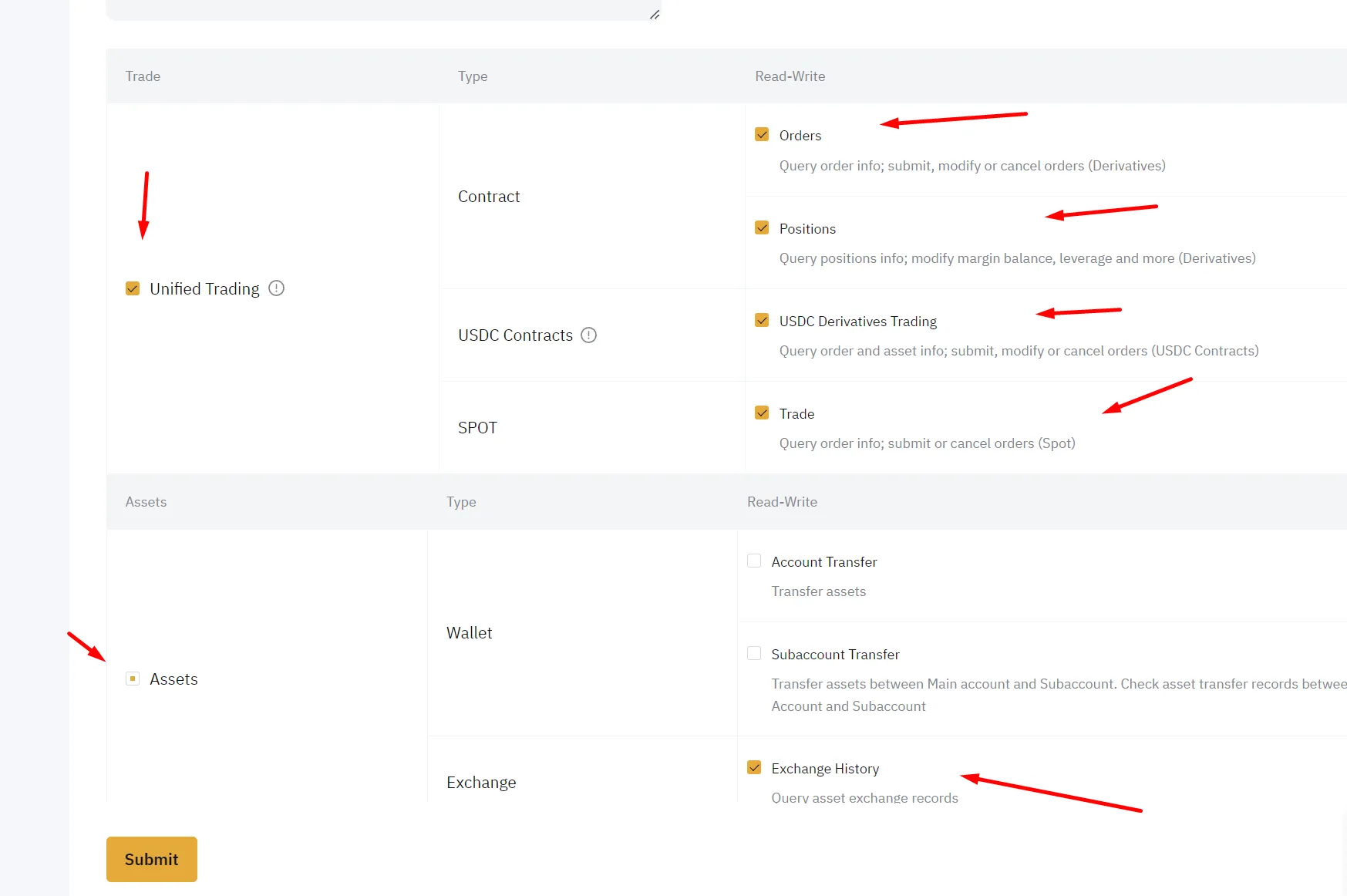
Choose System-generated → API Transaction, set Read-Write, and enable Derivatives (Read + Trade).
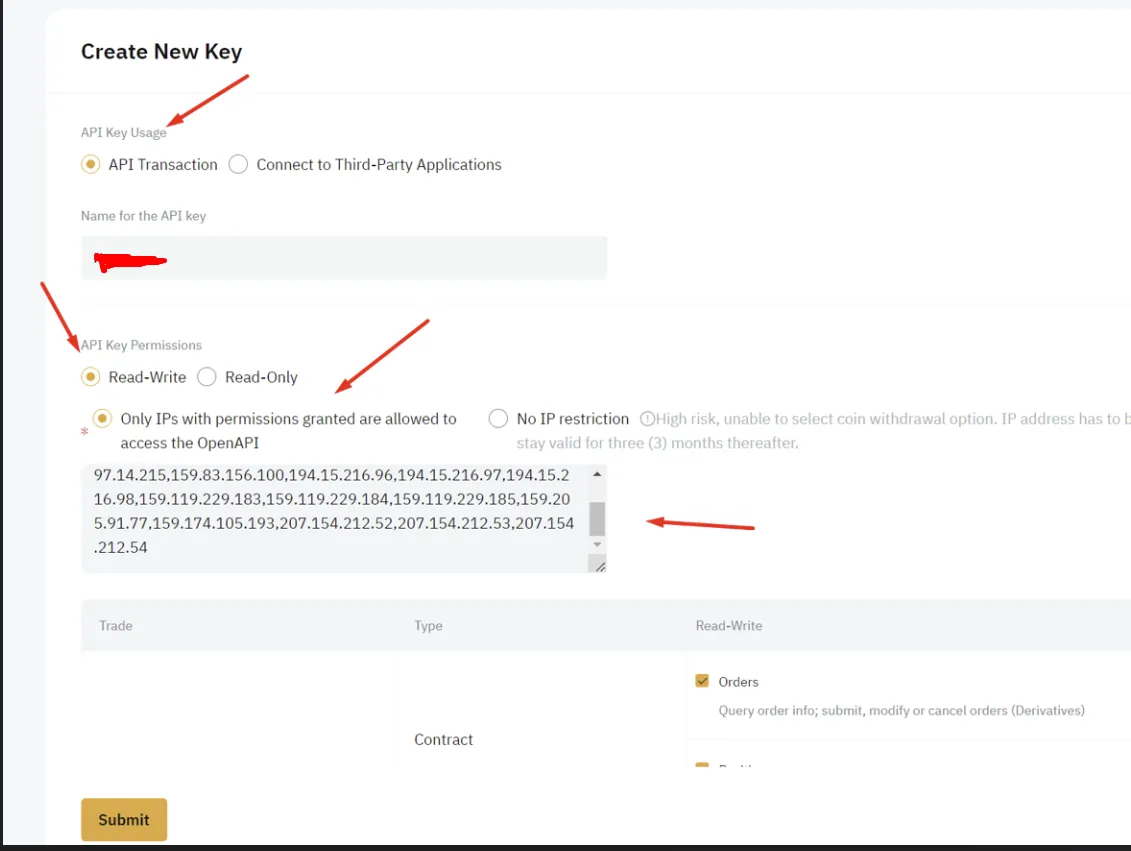
Enable only the read and trading permissions required for your selected market. Leave withdrawals, Account Transfer and Subaccount Transfer disabled.
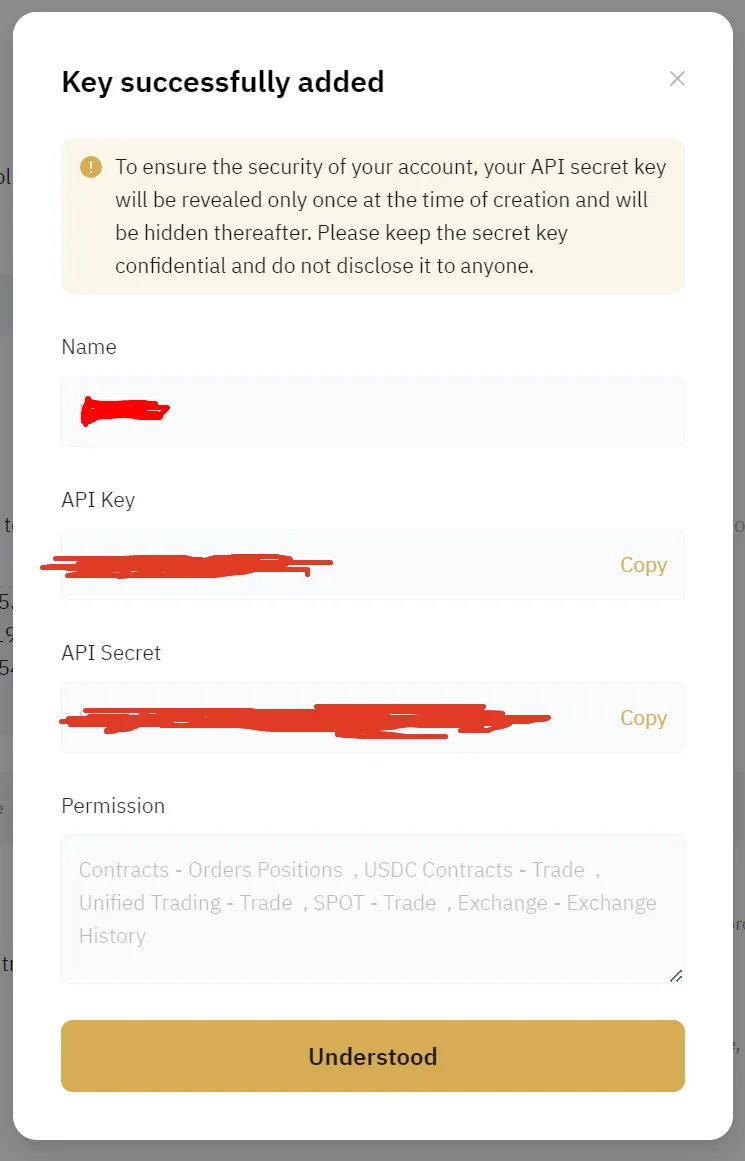
Now you will get the API key and API Secret. Copy both immediately — Bybit only shows the Secret on this confirmation screen. Then open Profile → Connections on formion.ai, choose Bybit, paste them and click Link exchange.
For a hedge/cross bot, verify that the corresponding Bybit contract uses Hedge Mode and Cross Margin before running it.\
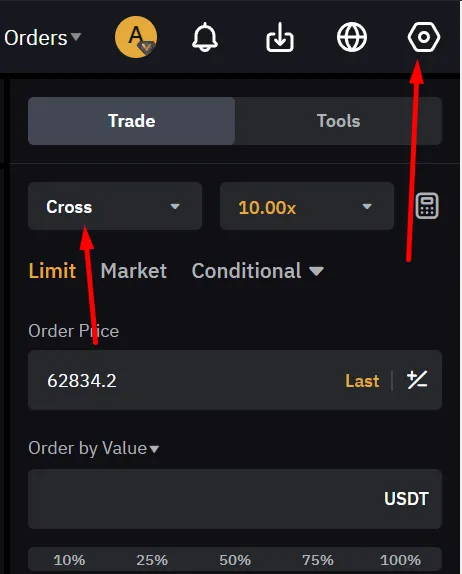
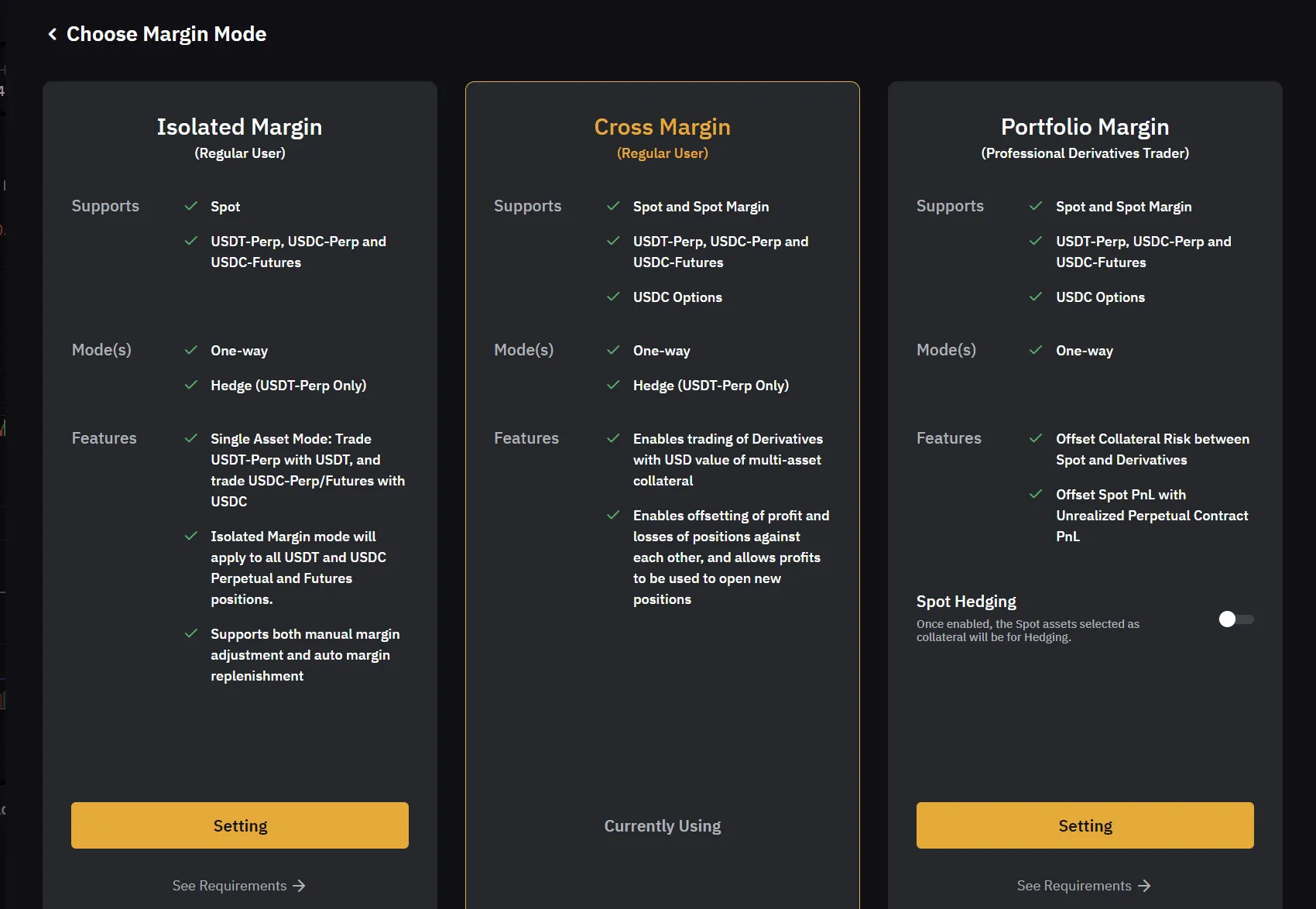
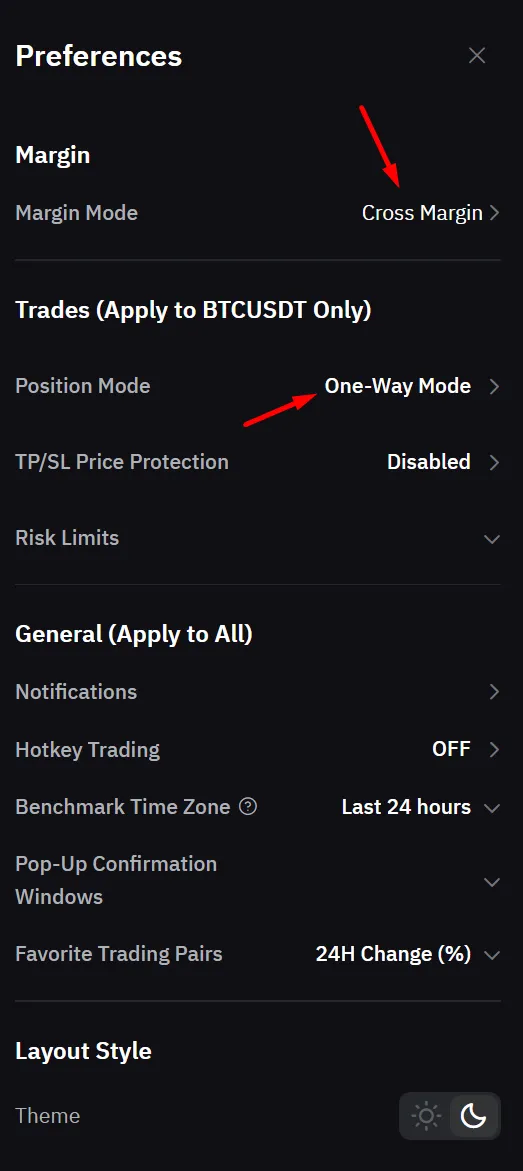
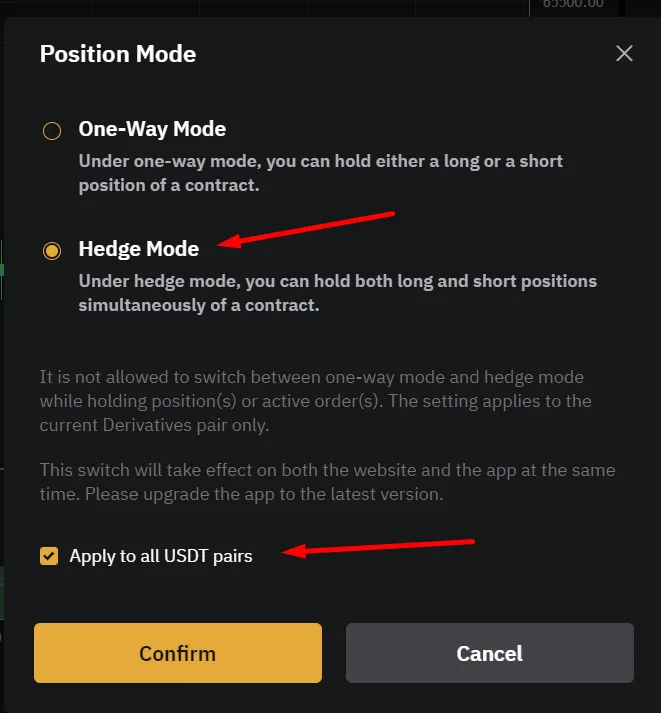
Use Apply to all  USDT pairs only if that is the mode you intend for every affected contract.
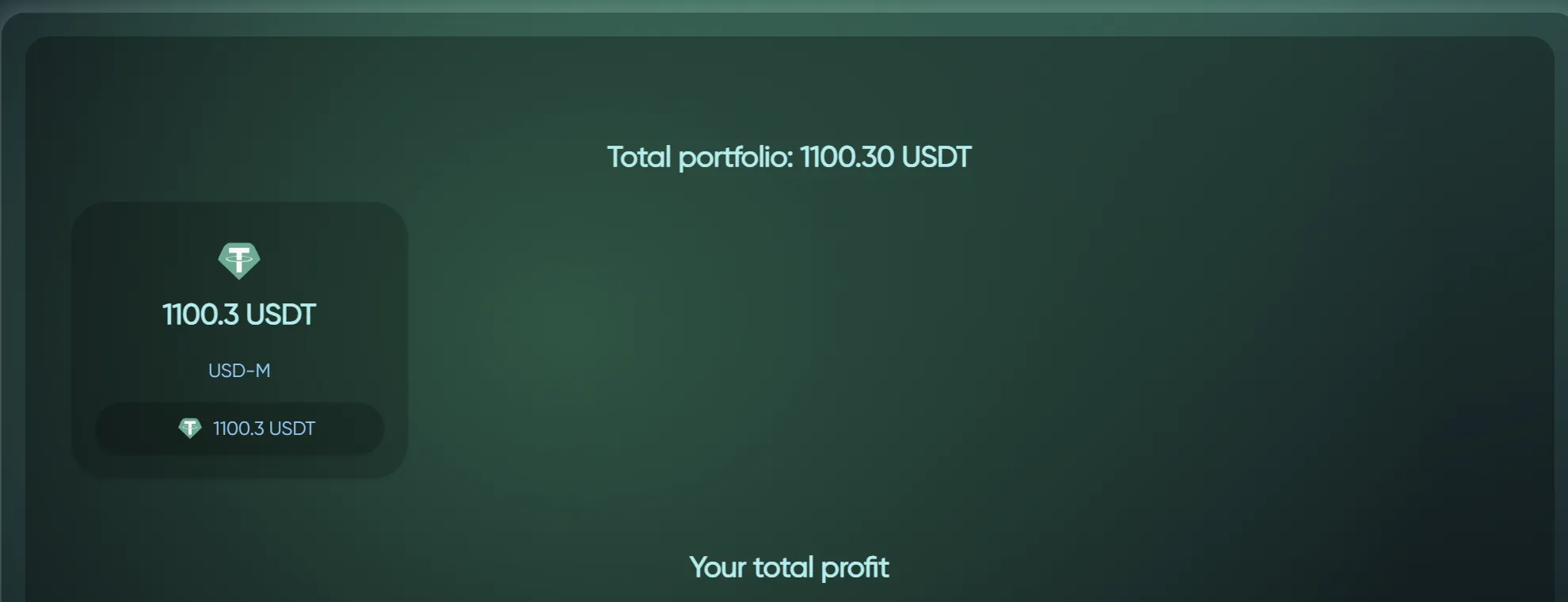
To test that everything worked, check the Exchanges card in Profile → Connections: it shows the live balance and health of each linked account. It will look something like this for Binance\
Or for Bybit
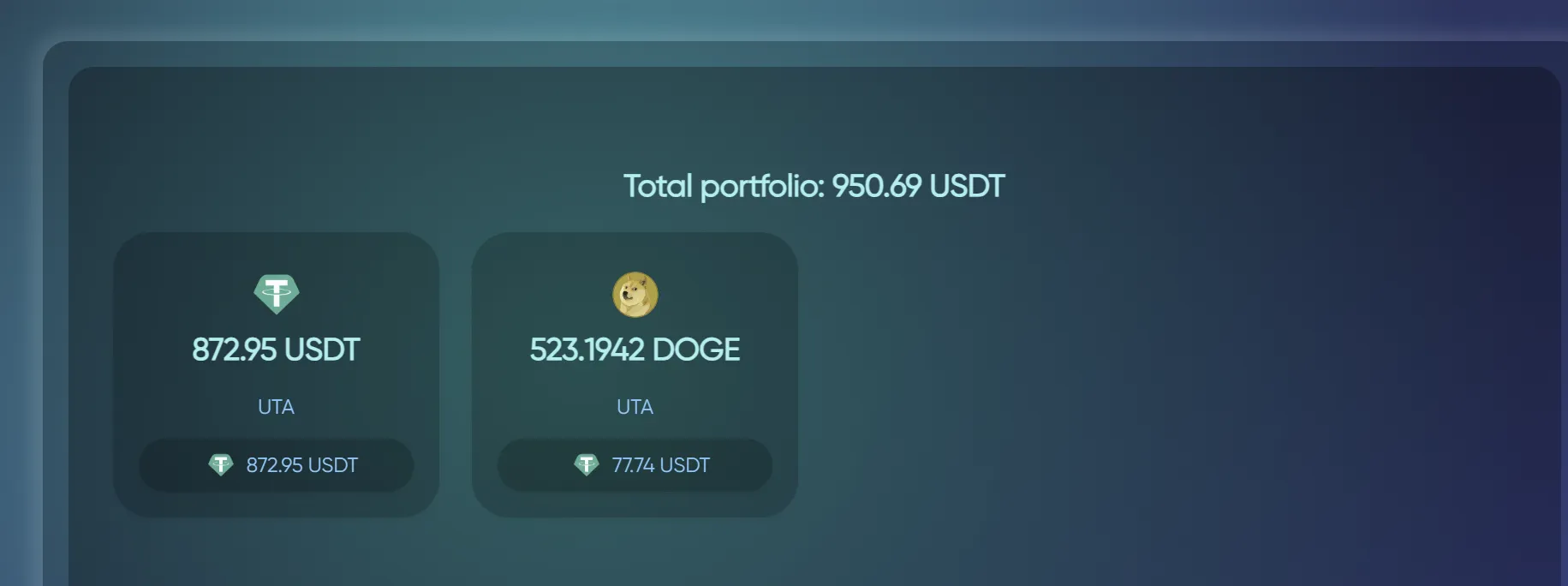
If you are able to see your portfolio, congrats! You are now ready to use Formion Trading App!
Section titled “If you are able to see your portfolio, congrats! You are now ready to use Formion Trading App!”cTrader broker accounts
Section titled “cTrader broker accounts”For forex and CFDs, open Profile → Connections →  cTrader and use the broker authorisation flow. Select the intended demo or live account and verify that its balance and positions appear before trading. cTrader uses account authorisation rather than the exchange API-key steps above. Neural supports one broker account, Pro five, and Institutional unlimited; see Brokers and Pricing.
Troubleshoot before starting a bot
Section titled “Troubleshoot before starting a bot”If balances do not appear, check the key, selected exchange, account type (live or demo), permissions and any IP restriction you set on the key. Verify that the API secret was copied when created; do not send it to support or put it into a chat. For a connected account with rejected orders, inspect the order’s market, margin, size and position mode separately. See Troubleshooting.